
Key facts
- Manuals
- 3
- Languages
- ZH
- Last added
- 2026-10-01
Featured Smartgen manuals
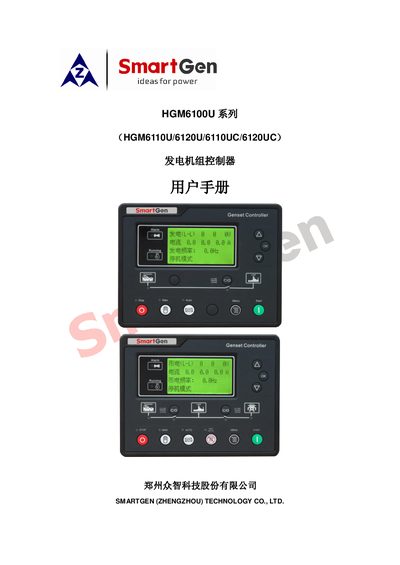
Smart Gen HGM6100U Series Generator Set Controller User Manual
The HGM6100U series controller from Smart Gen provides digital, intelligent and networked automation for single generator sets. It features a 132 × 64 LCD with Chinese, English, Spanish and Russian language options, RS485 communication using MODBUS, and extensive sensor support.
The manual covers specifications, operation procedures, wiring diagrams, programming parameters, installation steps and troubleshooting to help users configure and maintain the controller in various power system configurations. This manual is written in Chinese.
Covers: Overview · Performance and Features · Specifications · Operation · Button Functions · Controller Panel
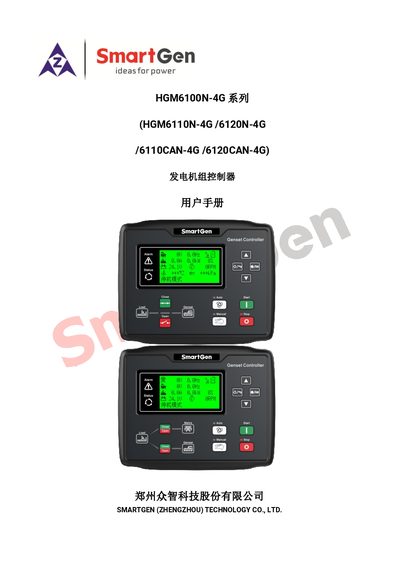
SmartGen HGM6100N-4G Generator Set Controller User Manual
The HGM6100N-4G series controller integrates digital, intelligent and networked technologies for single‑generator automation. It features a 132 × 64 LCD with eight language options, a 32‑bit processor, and built‑in 4G, GPS and SMS capabilities for remote monitoring and control.
The controller supports RS485 (MODBUS) and CANBUS communication, offers programmable inputs/outputs, extensive protection functions, and an IP65‑rated enclosure. It can be configured via front‑panel keys, USB or RS485 connections and is suitable for a wide range of engine brands and power configurations. This manual is written in Chinese.
Covers: Overview · Performance Features · Specifications · Operation · Protection · Wiring
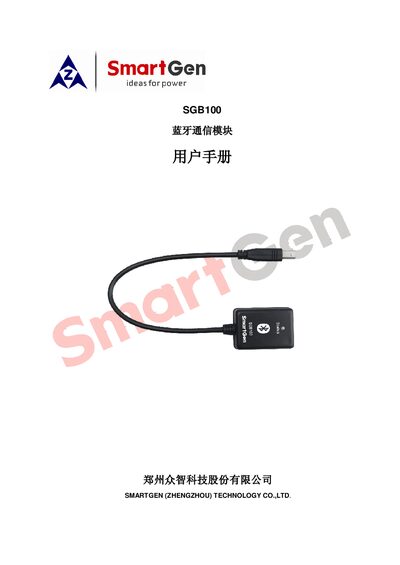
SmartGen SGB100 Bluetooth Communication Module User Manual
The SGB100 Bluetooth communication module, produced by SmartGen, provides wireless BLE 4.1 connectivity for generator set controllers. It works with the iGMPA6 Android app to configure parameters, monitor status, and manage data.
The manual describes the module’s performance, technical specifications, required Android software, and step‑by‑step procedures for connecting, configuring, monitoring, calibrating and handling alerts, as well as safety precautions. This manual is written in Chinese.
Covers: Preface · Overview · Performance and Features · Technical Specifications · Software · Operation
Latest Smartgen manuals
Smart Gen HGM6100U Series Generator Set Controller User Manual
User Manual 34 pages · 2 MB · ZHUser manual for the Smart Gen HGM6100U series controller that automates start/stop, monitoring and protection of generator sets.
SmartGen HGM6100N-4G Generator Set Controller User Manual
User Manual 41 pages · 2.5 MB · ZHUser manual for the SmartGen HGM6100N-4G controller that manages automatic start, monitoring and protection of generator sets.
SmartGen SGB100 Bluetooth Communication Module User Manual
User Manual 14 pages · 1.6 MB · ZHUser manual for the SmartGen SGB100 Bluetooth communication module, covering features, specs, software and operation steps.
Which document do I need?
User Manual
Day-to-day operation, settings and troubleshooting. Start here if the product is already set up.
Questions answered in Smartgen manuals
Which languages are available on the controller's LCD interface?
The LCD can be set to Chinese, English, Spanish or Russian.
From: Smart Gen HGM6100U Series Generator Set Controller User Manual
What communication protocol does the RS485 interface use?
It uses the MODBUS protocol.
From: Smart Gen HGM6100U Series Generator Set Controller User Manual
How do I connect the SGB100 Bluetooth module to the controller?
Connect the SGB100 module to the controller using the USB port.
From: SmartGen SGB100 Bluetooth Communication Module User Manual
What Android version is required for the iGMPA6 app?
The app requires Android 4.3 or later and a device that supports Bluetooth 4.1.
From: SmartGen SGB100 Bluetooth Communication Module User Manual