
Key facts
- Brand
- Patlite
- Model
- WD 8144-A
- Category
- Other Electronics
- Documents
- 2
- Languages
- EN
- Last added
- 2023-10-16
Start here
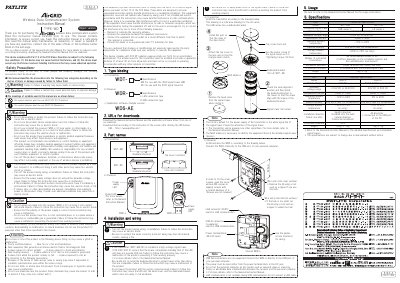
Patlite WD 8144-A Wireless Data Communication System Instruction Manual
This document is a digest version of the General Instruction Manual for the Patlite Wireless Data Communication System (Model WD 8144-A). It provides essential safety precautions, part names, and installation guidelines for the transmitter (WDT-6M/5E) and receiver (WDR-L/U) units. Users are advised to download the full General Instruction Manual and application software driver from the Patlite website for detailed settings and wiring information.
The system consists of a transmitter compatible with LE and LME series signal towers and a receiver available in LAN (WDR-L) or USB (WDR-U) connection types. Key specifications include a rated voltage of 24V DC for the transmitter and 5V DC (USB bus powered) for the USB receiver. The manual details installation directions, environmental limits, and specific warnings regarding electrical safety and radio wave interference.
Patlite WD 8144-A specifications
| Rated voltage (Transmitter) | 24V DC (No polarity) |
|---|---|
| Allowable voltage range (Transmitter) | 21.6V DC to 26.4V DC |
| Consumption current (Transmitter) | 35mA ± 5mA |
| Rated voltage (Receiver WDR-U) | 5V DC (USB bus powered) |
Source: Patlite WD 8144-A Wireless Data Communication System Instruction Manual
All Patlite WD 8144-A documents by type
Day-to-day operation, settings and troubleshooting. Start here if the product is already set up.
Questions answered in these manuals
Where can I download the General Instruction Manual and application software?
You can download them from the Patlite website by clicking the WD banner.
From: Patlite WD 8144-A Wireless Data Communication System Instruction Manual
What is the recommended number of connected transmitters?
The recommended number is 20, though this differs depending on the installation location and communication environment.
From: Patlite WD 8144-A Wireless Data Communication System Instruction Manual
What are the safety precautions regarding pacemakers?
Do not use this product near pacemakers or electric medical equipment because radio waves may affect these devices and equipment.
From: PATLITE WD-8144-A AlirGRID Wireless Data Communication System Instruction Manual
Can the receiver WDR-U be connected to a USB hub?
No, USB hub connections are not supported. Connect the WDR-U directly to the USB port of your personal computer.
From: PATLITE WD-8144-A AlirGRID Wireless Data Communication System Instruction Manual