
Key facts
- Brand
- OJ Electronics
- Model
- OCC4
- Category
- Other
- Documents
- 2
- Languages
- EN
- Last added
- 2026-11-06
Start here
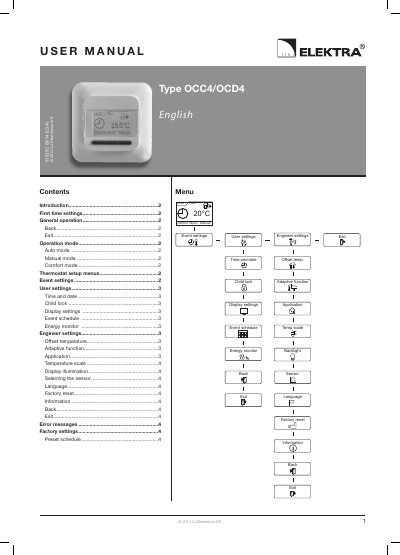
OJ Electronics OCC4/OCD4 Thermostat User Manual
This is the user manual for the OJ Electronics OCC4/OCD4 thermostat. The thermostat switches a heating system on at predetermined times on different days of the week, letting you set individual temperatures for periods called events. It comes with a default schedule suitable for most homes and features an adaptive function that changes heating period start times so the required temperature is reached at the set time.
The manual explains the first-time settings (language, time and date), general operation with the power interrupter and navigation buttons, and the three operation modes: Auto, Manual and Comfort. It then describes the setup menus, including event settings, user settings (time and date, child lock, display settings, event schedule, energy monitor), engineer settings (offset temperature, adaptive function, application, temperature scale, display illumination, sensor selection, language, factory reset, information), error messages, factory settings and the preset schedule.
OJ Electronics OCC4 specifications
| Voltage | 230 VAC ±10% 50 Hz |
|---|---|
| Max. pre-fuse | 16 A |
| Output | Max. 16 A / 3600 W |
| Control principle | PWM/PI |
| Stand-by power | 0.6 W |
| Battery backup | 5 years |
| Temperature range | +5/+40°C |
| Limit sensor (OCD4) | +5/+40°C |
| Ambient operating temperature | +0/+25°C |
| Enclosure rating | IP 21 |
| Dimensions | H/84, W/84, D/40 mm |
| Display | 100x64 pixel STN - white backlight |
Source: OJ Electronics OCC4-1999 OCD4-1999 Thermostat Installation Instructions
All OJ Electronics OCC4 documents by type
Mounting, wiring and first power-up. Read it before the hardware goes in.
Day-to-day operation, settings and troubleshooting. Start here if the product is already set up.
Questions answered in these manuals
What is the OJ Electronics OCC4-1999 thermostat?
The OCC4-1999 is a clock-thermostat with a built-in room sensor; the OCD4-1999 has a floor sensor and a built-in room sensor.
From: OJ Electronics OCC4-1999 OCD4-1999 Thermostat Installation Instructions
Where should the thermostat with a built-in sensor be mounted?
It should be mounted on the wall about 1.6 m above the floor with free air circulation around it, avoiding draughts and direct sunlight or other heat sources.
From: OJ Electronics OCC4-1999 OCD4-1999 Thermostat Installation Instructions
How do I unlock the child lock on the OCC4/OCD4 thermostat?
Press both the Comfort and Manual buttons simultaneously for 5 seconds.
What must be set the first time the thermostat is switched on?
Language, time and date must be set; the menu guides you through the process.