
Key facts
- Manuals
- 2
- Languages
- EN
- Last added
- 2026-11-06
Featured OJ Electronics manuals
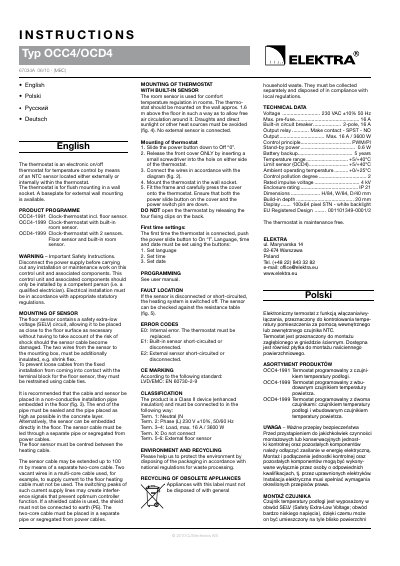
OJ Electronics OCC4-1999 OCD4-1999 Thermostat Installation Instructions
The OCC4/OCD4 is an electronic on/off thermostat for temperature control using an NTC sensor located either externally or internally in the thermostat. It is intended for flush mounting in a wall socket, with a baseplate available for external wall mounting. The product programme includes OCC4-1991 with floor sensor, OCC4-1999 with built-in room sensor, and OCD4-1999 with both floor and built-in room sensors.
The instructions cover safety warnings, sensor mounting, mounting of thermostats with built-in sensors, wiring and mounting steps, first-time settings for language, time and date, fault location and error codes, CE marking and classification, and technical data. Programming is referred to the user manual.
Covers: Product programme · Important safety instructions · Mounting of sensor · Mounting of thermostat with built-in sensor · Mounting of thermostat · First time settings

OJ Electronics FLEXBONE® HEAT Touch Display WiFi Interactive Thermostat User Manual
The FLEXBONE® HEAT Touch Display WiFi Interactive is a WiFi-enabled touchscreen thermostat for underfloor heating systems. It allows remote monitoring and control via web browser, Android, or iOS devices, and provides a daily weather forecast after WiFi setup. The thermostat includes a built-in GFCI/EGFPD for ground fault protection and features an adaptive function that learns heating start times to reach desired temperatures at scheduled events.
The manual details the startup wizard for language, system test, safety test, temperature units, distributor ID, load measurement, floor load, sensor type, date, time, and floor protection. It explains programmed heating schedules with up to six events per day, manual and regulator operating modes, and installer settings such as adaptive function, open window detection, sensor application, sensor type, floor and room sensor calibration, floor protection, and factory reset. WiFi settings support WPA/WPA2 encryption, and troubleshooting covers WiFi connection issues and GFCI/EGFPD fault states.
Covers: Contents · Menu Overview · Introduction · General Operation · Navigation Buttons · Ground Fault (GFCI/EGFPD)
Latest OJ Electronics manuals
OJ Electronics OCC4-1999 OCD4-1999 Thermostat Installation Instructions
Installation Guide 4 pages · 257 KB · ENOJ Electronics OCC4-1999 and OCD4-1999 thermostat installation instructions covering sensor mounting, wiring, first-time settings and technical data.
OJ Electronics FLEXBONE® HEAT Touch Display WiFi Interactive Thermostat User Manual
User Manual 74 pages · 6.6 MB · ENUser manual for the OJ Electronics FLEXBONE® HEAT WiFi Touch Thermostat covering installation, operation, scheduling, WiFi setup, and troubleshooting.
Which document do I need?
Installation Guide
Mounting, wiring and first power-up. Read it before the hardware goes in.
User Manual
Day-to-day operation, settings and troubleshooting. Start here if the product is already set up.
Questions answered in OJ Electronics manuals
What is the OJ Electronics OCC4-1999 thermostat?
The OCC4-1999 is a clock-thermostat with a built-in room sensor; the OCD4-1999 has a floor sensor and a built-in room sensor.
From: OJ Electronics OCC4-1999 OCD4-1999 Thermostat Installation Instructions
Where should the thermostat with a built-in sensor be mounted?
It should be mounted on the wall about 1.6 m above the floor with free air circulation around it, avoiding draughts and direct sunlight or other heat sources.
From: OJ Electronics OCC4-1999 OCD4-1999 Thermostat Installation Instructions
What type of heating system does the thermostat control?
The thermostat controls an underfloor heating system, switching it on at predetermined times each day of the week.
From: OJ Electronics FLEXBONE® HEAT Touch Display WiFi Interactive Thermostat User Manual
How many heating events can be scheduled per day?
Up to six separate events can be scheduled for each day of the week, with individual temperatures for each event.
From: OJ Electronics FLEXBONE® HEAT Touch Display WiFi Interactive Thermostat User Manual