
This document is a user manual for the OCC4/OCD4 thermostat, which introduces how to use the thermostat and its features.
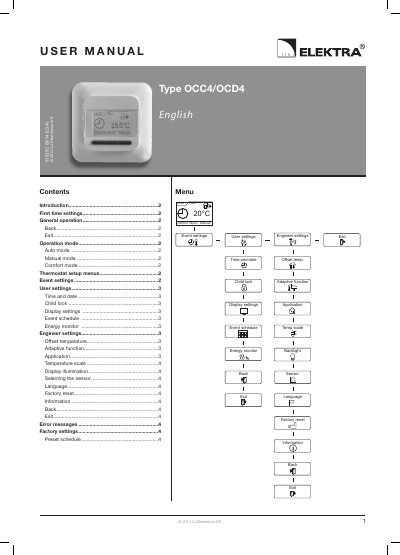
This is the user manual for the OJ Electronics OCC4/OCD4 thermostat. The thermostat switches a heating system on at predetermined times on different days of the week, letting you set individual temperatures for periods called events. It comes with a default schedule suitable for most homes and features an adaptive function that changes heating period start times so the required temperature is reached at the set time.
The manual explains the first-time settings (language, time and date), general operation with the power interrupter and navigation buttons, and the three operation modes: Auto, Manual and Comfort. It then describes the setup menus, including event settings, user settings (time and date, child lock, display settings, event schedule, energy monitor), engineer settings (offset temperature, adaptive function, application, temperature scale, display illumination, sensor selection, language, factory reset, information), error messages, factory settings and the preset schedule.
| Temperature control modes | Auto, Manual and Comfort |
|---|---|
| Regulation types (Application) | Floor reg., Room reg., Room/limit, Regulator |
| Weekly event schedules | 5:2, 6:1, 7:0 and 0:7 variants with 4-event or 6-event programs |
| Energy monitor periods | Past 2 days, 30 days or 365 days |
| Screen saver | Display switches off after 30 seconds without a button press |
| Child lock release | Comfort and Manual buttons pressed simultaneously for 5 seconds |
Press both the Comfort and Manual buttons simultaneously for 5 seconds.
Language, time and date must be set; the menu guides you through the process.
It automatically changes heating period start times so the required temperature is reached at the set time.
It sets a temporary comfort temperature for a single event and is automatically cancelled by the next event in the schedule.