
Key facts
- Brand
- NetComm Wireless
- Model
- NF10WV
- Category
- Router
- Industry
- Computers
- Documents
- 3
- Languages
- EN
- Last added
- 2023-10-31
Start here
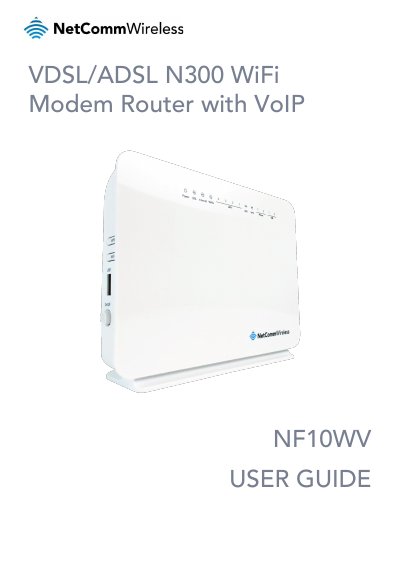
NetComm Wireless NF10WV VDSL/ADSL N300 WiFi Modem Router User Guide
The NetComm Wireless NF10WV is a fully featured VDSL2/ADSL2+ Modem Router designed for high-speed internet connectivity. It includes a Gigabit Ethernet WAN port, four Fast Ethernet LAN ports, and a built-in Wireless N Access Point. The device supports USB storage sharing and is optimized for the National Broadband Network (NBN) and IPv6.
Read onlineNetComm Wireless NF10WV specifications
| WAN Port Speed | 10/100/1000 Gigabit Ethernet |
|---|---|
| LAN Port Speed | 4 x 10/100 Fast Ethernet |
| Wireless Standard | Wireless N Access Point |
| USB Ports | 2 x USB host ports |
| Dimensions | 190 mm x 146 mm x 54 mm |
| Weight | 326 grams |
| Default LAN IP | 192.168.20.1 |
| Default Username | admin |
| Default Password | admin |
Source: NetComm Wireless NF10WV VDSL/ADSL N300 WiFi Modem Router User Guide
All NetComm Wireless NF10WV documents by type
Day-to-day operation, settings and troubleshooting. Start here if the product is already set up.
Questions answered in these manuals
What is the default IP address for the NF10WV?
The default LAN management IP address is 192.168.20.1.
From: NetComm Wireless NF10WV VDSL/ADSL N300 WiFi Modem Router User Guide
What are the default login credentials for the web interface?
The default username is 'admin' and the default password is 'admin'.
From: NetComm Wireless NF10WV VDSL/ADSL N300 WiFi Modem Router User Guide
What is the default IP address for the NF10WV?
The default LAN (Management) Static IP Address is 192.168.20.1.
From: NetComm Wireless NF10WV VDSL/ADSL N300 WiFi Modem Router User Guide
What are the default login credentials for the web interface?
The default username is admin and the password is also admin.
From: NetComm Wireless NF10WV VDSL/ADSL N300 WiFi Modem Router User Guide
What is the target audience for this manual?
The individual reading this manual is presumed to have a basic understanding of telecommunications terminology and concepts.
From: NetComm Wireless NF10WV VDSL/ADSL N300 WiFi Modem Router User Guide
What are the prerequisites for installing the NF10WV?
You need an activated ADSL/VDSL or pre-configured WAN connection, a computer with Ethernet adapter or wireless capability, and a current web browser.
From: NetComm Wireless NF10WV VDSL/ADSL N300 WiFi Modem Router User Guide