
Key facts
- Brand
- Moza
- Model
- AirCross 3
- Category
- Other
- Industry
- Electronics
- Documents
- 3
- Languages
- ZH
- Last added
- 2026-10-18
Start here
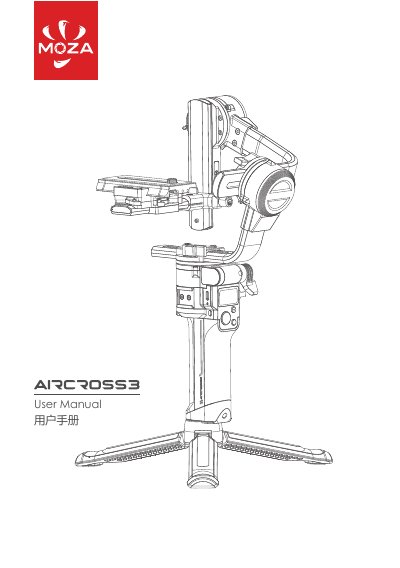
MOZA AirCross 3 Gimbal User Manual
The MOZA AirCross 3 is a handheld gimbal powered by a built-in battery. Before powering on, users must adjust the balance to prevent motor overheating and battery damage. The device includes safety warnings regarding water, dust, and children, and requires a USB-C cable for charging. This manual is written in Chinese.
Read onlineMOZA AirCross 3 specifications
| Weight | 1.3Kg (without tripod) |
|---|---|
| Dimensions (Unfolded) | 170*190*310 mm |
| Dimensions (Folded) | 52*225*270mm |
| Battery Capacity | 3500mAh |
| Max Runtime | 20H |
| Charging Time | 1.4H |
| Bluetooth Version | BT5.0 |
| Operating Temperature | -10℃--50℃ |
All MOZA AirCross 3 documents by type
Day-to-day operation, settings and troubleshooting. Start here if the product is already set up.
Questions answered in these manuals
How do I charge the MOZA AirCross 3?
Use a USB-C cable and a USB adapter with QC2.0 or PD protocol through the USB-C charging port.
What happens if the gimbal works in an unbalanced state?
The motor surface temperature can get hot, which will seriously shorten the battery life.
How should I charge the AirCross 3 battery?
Connect the included USB‑C cable to the USB‑C charging port and use a USB adapter (QC2.0 or PD); the LED under the port turns off when charging is complete.
What warranty coverage does the AirCross 3 have?
The gimbal body is covered for 12 months, while the motor and battery have a 3‑month warranty from the purchase date.
How do I turn the gimbal on or off?
Press and hold the power button for a long press to power the gimbal on or off.
What is the recommended way to charge the battery?
Connect a USB‑C cable to the USB‑C charging port and use a USB adapter (QC2.0 or PD) to charge the built‑in battery.