
Key facts
- Brand
- Microsoft
- Model
- 2013
- Category
- Other software
- Industry
- Software
- Documents
- 2
- Languages
- FR
- Last added
- 2026-10-17
Start here
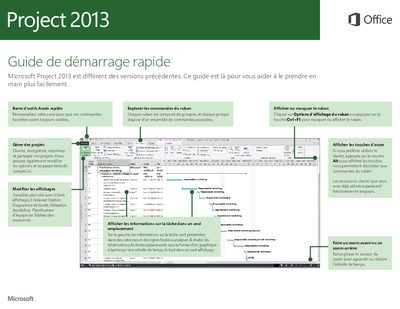
Microsoft Project 2013 User Guide
This guide introduces the new interface of Microsoft Project 2013, explaining how to customize the Quick Access Toolbar and Ribbon, manage views, and use keyboard shortcuts. It details the four main steps of project management: planning tasks, creating a schedule, tracking progress, and collaborating with teams via SharePoint and Lync. This manual is written in French.
Read onlineAll Microsoft 2013 documents by type
Day-to-day operation, settings and troubleshooting. Start here if the product is already set up.
Questions answered in these manuals
How do I add comments to a shape?
Click on a comment indicator on the drawing or use the Review tab.
Can I use Visio 2013 on a tablet?
Yes, you can display and modify your drawing using touch inputs like pinch and zoom.
How do I open or hide the ribbon in Microsoft Project 2013?
Click on Ribbon Display Options or press the Ctrl+F1 key to hide or show the ribbon.
What operating system is required to use Project Online?
You need a computer running Windows 7 or a later version to access Project Online.