
Key facts
- Brand
- M-Audio
- Model
- C600
- Documents
- 2
- Languages
- EN · ZH
- Last added
- 2012-07-03
Start here
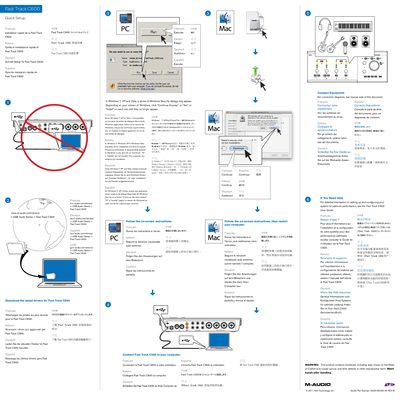
M-Audio Fast Track C600 Quick Setup Guide
This document provides a quick setup guide for the M-Audio Fast Track C600 USB audio interface. It includes instructions for downloading and installing the latest drivers on Windows and Mac operating systems, specifically addressing security dialog prompts for Windows 7, XP, and Vista.
Read onlineM-Audio Fast Track C600 specifications
| Power Connector | 5VDC, 2A |
|---|---|
| Inputs | 1-4 (Mic or Line) |
| Outputs | Line Outputs 1-6 |
| Headphone Outputs | Included |
All M-Audio Fast Track C600 documents by type
Day-to-day operation, settings and troubleshooting. Start here if the product is already set up.
The shortest path to a working setup, usually only a few pages.
Questions answered in these manuals
Where can I find the connection diagrams?
The connection diagrams are located on the reverse side of this document.
Where can I find detailed configuration information?
Detailed information on setting up and configuring the system is found in the Fast Track C600 User Guide.
What power supply is required for full functionality?
To use all inputs and outputs, the interface must be powered using the 5V power adapter included with the product.
Can I use the interface without the power supply?
Yes, but analog inputs 3-4, analog outputs 5-6, and headphone output 2 will not be available due to USB bus power limitations.