
Key facts
- Brand
- M-Audio
- Model
- C400
- Documents
- 2
- Languages
- EN
- Last added
- 2012-07-03
Start here
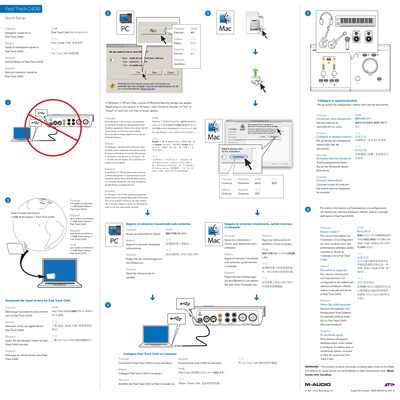
M-Audio Fast Track C400 Quick Setup Guide
This document serves as a multi-language Quick Setup guide for the M-Audio Fast Track C400 USB Audio Series device. It provides instructions in French, Italian, German, Spanish, and English on how to download and install the latest drivers from m-audio.com/drivers/.
Read onlineM-Audio Fast Track C400 specifications
| Inputs | 4-input |
|---|---|
| Outputs | 6-output |
| Connection | USB 2.0 |
| Sample Rate | up to 96 kHz |
| Bit Depth | 24-bit |
| MIDI Channels | 16 input and 16 output |
| Phantom Power | 48V |
Source: Avid Fast Track C400 User Guide
All M-Audio Fast Track C400 documents by type
Day-to-day operation, settings and troubleshooting. Start here if the product is already set up.
The shortest path to a working setup, usually only a few pages.
Questions answered in these manuals
What are the system requirements for Fast Track C400?
It requires a qualified Windows or Mac computer running Pro Tools or qualified third-party software, and a DVD drive for installation.
Does Fast Track C400 support phantom power?
Yes, it features switchable 48V phantom power for condenser microphones.
What operating systems are supported for driver installation?
The guide states that Windows 7, XP, and Vista require specific security dialog steps during setup.