
Key facts
- Brand
- Lapp
- Model
- 16 port
- Category
- Industrial Supply
- Documents
- 2
- Languages
- EN
- Last added
- 2023-10-16
Start here
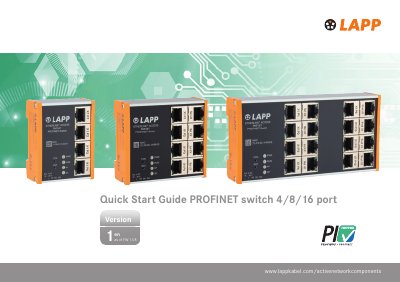
LAPP PROFINET switch 4/8/16 port Quick Start Guide
This Quick Start Guide explains the basic settings for the initial commissioning of LAPP PROFINET switches (4, 8, or 16 ports) for use in PROFINET projects. It covers essential steps such as preparing the device, planning GSDML files, setting port properties, and configuring the Media Redundancy Protocol (MRP).
Read onlineAll LAPP 16 port documents by type
The shortest path to a working setup, usually only a few pages.
Day-to-day operation, settings and troubleshooting. Start here if the product is already set up.
Questions answered in these manuals
What is the default password for the web interface?
The password is the serial number of the device.
How do you reset the switch to factory settings?
Press and hold the FCN button while the device restarts.
Why do you need a PROFINET switch for a PROFINET network?
The manual addresses this in section 7.1, explaining the necessity of the device within the network architecture.
Can the PROFINET switch transmit PROFIsafe?
Yes, the manual confirms that PROFIsafe can be transmitted via the device.