
Key facts
- Brand
- Inseego
- Model
- MiFi X PRO 5G
- Category
- Wireless connection
- Documents
- 2
- Languages
- EN
- Last added
- 2023-11-03
Start here
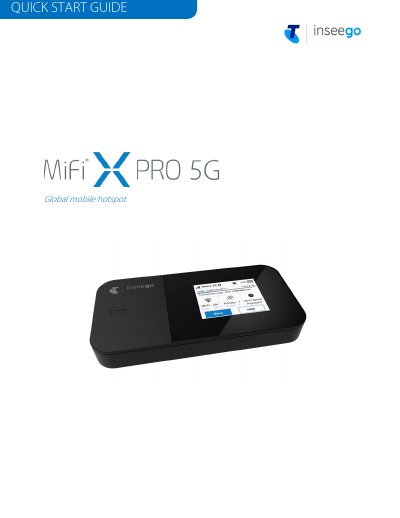
Inseego MiFi X PRO 5G Mobile Hotspot Quick Start Guide
This quick start guide covers the Inseego MiFi X PRO 5G, a global mobile hotspot. It explains the device's status indicators, how to install a Nano SIM card, how to power the device on and off, and how to find the Wi-Fi name and password.
The guide also describes connecting to the Internet, managing the primary and guest Wi-Fi networks (up to 32 devices), accessing advanced settings through the Admin web UI at http://192.168.1.1, monitoring data usage, and resetting the device to factory settings. Additional information covers app requirements and support.
Inseego MiFi X PRO 5G specifications
| SIM card type | Nano SIM only |
|---|---|
| Maximum connected devices | Up to 32 Wi-Fi capable devices |
| Wi-Fi networks | Two: primary and guest (guest off by default) |
| Ethernet port | Deactivated by default; can be enabled from the touchscreen or Admin web UI |
| Initial battery charge | At least four hours |
| Admin web UI address | http://192.168.1.1 |
| Power on/off | Press and hold the Power button for three seconds |
| Inseego Mobile app requirements | iOS 13 or above, or Android 9.0 or above |
Source: Inseego MiFi X PRO 5G Mobile Hotspot Quick Start Guide
All Inseego MiFi X PRO 5G documents by type
The shortest path to a working setup, usually only a few pages.
Day-to-day operation, settings and troubleshooting. Start here if the product is already set up.
Questions answered in these manuals
How do I set up my MiFi X PRO 5G?
Use the Inseego Mobile app: scan the QR code to install it from the App Store or Google Play, then follow the in-app instructions to set up and customise your MiFi.
From: Inseego MiFi X PRO 5G Mobile Hotspot Quick Start Guide
How many devices can connect to the MiFi X PRO 5G?
You can connect up to 32 Wi-Fi capable devices across the primary and guest networks.
From: Inseego MiFi X PRO 5G Mobile Hotspot Quick Start Guide
How many devices can connect to the MiFi X PRO 5G?
The mobile hotspot supports up to 32 wireless connected devices through dual-band Wi-Fi 6.
How do I turn the MiFi X PRO 5G on or off?
Press and hold the Power button for three seconds.