
Key facts
Start here
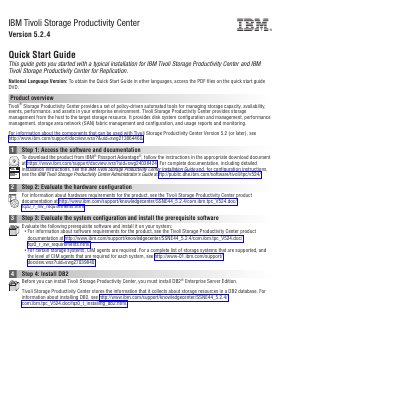
IBM Tivoli Storage Productivity Center Version 5.2.4 Quick Start Guide
Tivoli Storage Productivity Center provides policy-driven automated tools for managing storage capacity, availability, events, performance, and assets from the host to the target storage resource. This guide outlines a typical installation and initial configuration process for the product and Tivoli Storage Productivity Center for Replication.
The guide covers accessing software and documentation, evaluating hardware and system configuration, installing DB2, installing the product and related components, and getting started with GUIs, resources, alerts, and data retention. It also lists additional IBM resources for licenses, product information, and support.
All IBM Tivoli Storage Productivity Center Version 5.2 documents by type
Disassembly, diagnostics and part numbers, for repair.
Day-to-day operation, settings and troubleshooting. Start here if the product is already set up.
The shortest path to a working setup, usually only a few pages.
Mounting, wiring and first power-up. Read it before the hardware goes in.
Questions answered in these manuals
What does IBM Tivoli Storage Productivity Center manage?
It manages storage infrastructure by centralizing, automating, and simplifying the management of complex and heterogeneous storage environments.
From: IBM Tivoli Storage Productivity Center Version 5.2 Problem Determination Guide SC27-4090-00
What does IBM Tivoli Storage Productivity Center for Replication help you manage?
It helps you manage data-copy functions.
From: IBM Tivoli Storage Productivity Center Version 5.2 Problem Determination Guide SC27-4090-00
What can a user do with the command-line interface?
By using the CLI, you can interact with Tivoli Storage Productivity Center and Tivoli Storage Productivity Center for Replication by entering CLI commands.
From: IBM Tivoli Storage Productivity Center Version 5.2 Command-Line Interface Reference
Who is this publication intended for?
It is intended for administrators or users who use the IBM command-line interface (CLI).
From: IBM Tivoli Storage Productivity Center Version 5.2 Command-Line Interface Reference
What database must be installed before Tivoli Storage Productivity Center?
DB2 Enterprise Server Edition must be installed before Tivoli Storage Productivity Center.
From: IBM Tivoli Storage Productivity Center Version 5.2.4 Quick Start Guide
Can the installation process run through a GUI wizard or command line?
Yes, the installation process can run through the GUI wizard or through a command line in silent mode.
From: IBM Tivoli Storage Productivity Center Version 5.2.4 Quick Start Guide