
Key facts
- Brand
- Hootoo
- Model
- HT-IP210P
- Category
- Other Electronics
- Industry
- Electronics
- Documents
- 3
- Languages
- EN
- Last added
- 2023-10-26
Start here
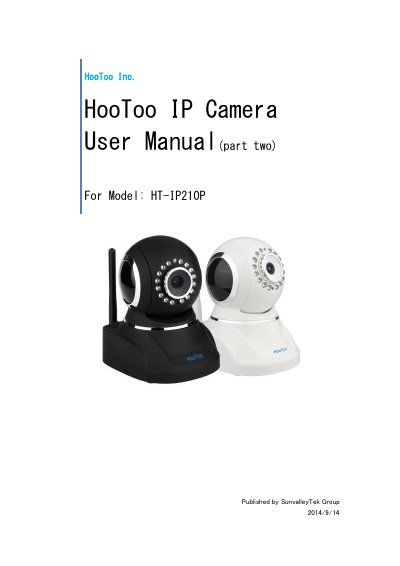
HooToo HT-IP210P IP Camera User Manual (Part Two)
This is part two of the user manual for the HooToo HT-IP210P IP camera. It describes setting up the camera on a Windows PC with the IPCamClient software, including installing the program, searching for the camera, viewing live video, and joining a wireless network.
The manual also covers the IP Camera Tool for MJPEG, viewing through Internet Explorer, Firefox and Chrome, network and audio video settings, alarm and motion detection options, FTP upload errors, and path settings for records.
HooToo HT-IP210P specifications
| Image Sensor | 1/4 '' Color CMOS Sensor |
|---|---|
| Resolution | 640 x 480 Pixels (300k Pixels) |
| IR Lens | f: 3.6mm, F 2.0 |
| Viewing Angle | 90 Degree |
| Minimum Illumination | 0.5Lux @ F2.0 |
| Video Compression | MJPEG |
| Video Frame Rate | 15fps(VGA), 30fps(QVGA) |
| Ethernet Port | 10Base-T/100Base-TX |
| Wireless LAN | Wi-Fi/802.11/b/g |
| Power Supply | 5VDC/2A External Power Adapter |
| Power Consumption | 6W (Max) |
| Operating Temperature | 0 °C ~ 55 °C |
| Warranty | Limited 1-year warranty |
All HooToo HT-IP210P documents by type
Day-to-day operation, settings and troubleshooting. Start here if the product is already set up.
Questions answered in these manuals
What is the warranty period for the HooToo HT-IP210P IP Camera?
The camera is covered by a 12-month warranty from the date of original purchase. Registering the product adds an additional 6 months of coverage.
How do I connect the HooToo IP Camera to my router?
Assemble the camera and antenna, connect the camera to your router with a network cable, and plug the power adapter into an outlet.
How do I add the camera in IPCamClient?
Open IPCamClient, click ADD, click next, then click search and select the camera IP address from the result and click OK.
What are the default account and password for the HT-IP210P?
The default account is admin and the default password is 000000.
What is the default password for the HT-IP210P camera?
The default password is 000000.
How do I add the HT-IP210P camera to the app?
Tap Add camera and choose to search by UID and IP, add by UID code and password, or scan the QR code.