
Key facts
- Brand
- HighPoint
- Model
- RocketRAID 2840A
- Category
- Other Electronics
- Documents
- 2
- Languages
- EN
- Last added
- 2026-10-27
Start here
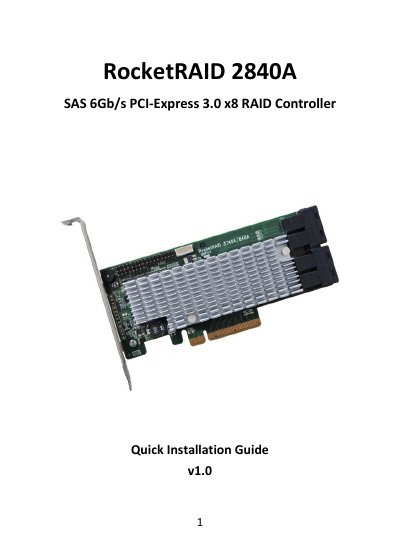
HighPoint RocketRAID 2840A SAS RAID Controller Quick Installation Guide
The document serves as a quick installation guide for the HighPoint RocketRAID 2840A SAS RAID Controller. It details the kit contents, board layout including connector types like SFF-8643 and I2C, and step-by-step hardware installation instructions for PCI-E slots.
Read onlineHighPoint RocketRAID 2840A specifications
| PCI Express Interface | 8-lane, 8 GT/s PCI Express 3.0 Compliant |
|---|---|
| SAS Connectors | Four SFF -8643 mini -SAS HD |
| Device Support | Support 16x SAS device |
Source: HighPoint RocketRAID 2840A SAS RAID Controller Quick Installation Guide
All HighPoint RocketRAID 2840A documents by type
The shortest path to a working setup, usually only a few pages.
Day-to-day operation, settings and troubleshooting. Start here if the product is already set up.
Questions answered in these manuals
How do you log in to the RocketRAID 2840A BIOS?
Use Ctrl + H key to log -in to the BIOS setting utility.
From: HighPoint RocketRAID 2840A SAS RAID Controller Quick Installation Guide
What is included in the RocketRAID 2840A kit?
The kit includes a RAID Controller Card, Low Profile Bracket, and Quick Installation Guide.
From: HighPoint RocketRAID 2840A SAS RAID Controller Quick Installation Guide
How do I access the RocketRAID BIOS utility?
Press Ctrl + H key to log-in to the BIOS setting utility during the system's boot procedure.
What happens if I initialize a hard disk?
Initialization will destroy all pre-existing data on the selected hard disks, so only do this for disks without critical data.