
Key facts
Start here
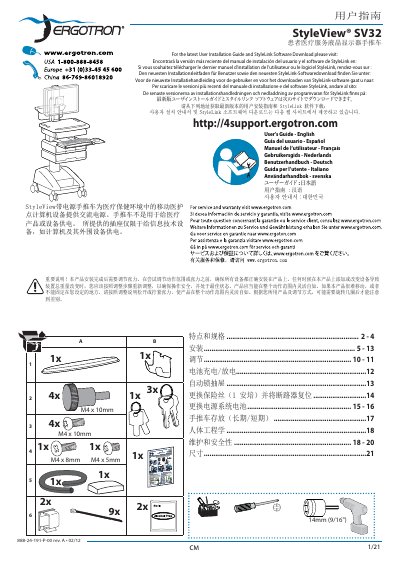
Ergotron StyleView SV32 Patient Care Cart User's Guide
The Ergotron StyleView SV32 is a mobile cart designed for healthcare environments to provide AC power for mobile nursing station computer equipment. It features a user interface, automatic lock drawers, a power system with integrated batteries, USB interfaces, and keyboard lighting. The cart is not intended to power medical products or devices, but rather IT equipment such as computers and peripherals.
The document provides detailed instructions on installing the keyboard and mouse, mounting the computer, and adjusting the height and tilt of the monitor arm. It also covers battery charging and discharging, drawer configuration, fuse replacement, and long-term storage procedures. Safety information, including hazard symbols and electrical specifications, is included to ensure proper and safe operation.
Ergotron StyleView SV32 specifications
| Input Voltage (US) | 120VAC/60 Hz; 5.1A |
|---|---|
| Output Voltage (US) | 120VAC/60 Hz, 400VA/300W |
| Input Voltage (EU) | 230V~/50 Hz, 2.7A |
| Output Voltage (EU) | 230V~/50 Hz, 400VA, 300W |
| Battery Type | Two 33 Ah Sealed Lead Acid, Absorbed Glass Mat, 12VDC |
| Minimum Operational Temperature | 10°C (50°F) |
| Maximum Operational Temperature | 29°C (86°F) |
| Power Cable Length | 6' (1.8 m) |
Source: Ergotron StyleView SV32 Patient Healthcare Delivery Laptop Cart User Guide
All Ergotron StyleView SV32 documents by type
Day-to-day operation, settings and troubleshooting. Start here if the product is already set up.
Questions answered in these manuals
What equipment is the StyleView cart intended to power?
The carts are not intended to power medical products or devices. Outlets are provided to power information technology equipment only such as computer equipment and computer peripherals.
From: Ergotron StyleView SV32 Patient Healthcare Delivery Laptop Cart User Guide
How long does it take to charge the battery?
It takes approximately 7 hours to charge the battery from an initial power on state.
From: Ergotron StyleView SV32 Patient Healthcare Delivery Laptop Cart User Guide
How is the keyboard illumination powered?
The keyboard illumination is powered through the USB port inside the chassis and works only when the computer is on and the USB is connected.
What are the recommended storage temperature limits for the trolley?
Store the trolley between –20 °C (‑4 °F) and 50 °C (122 °F).