
Key facts
- Brand
- Edimax
- Model
- EW-7811Un
- Category
- Other Computer Accessories
- Documents
- 2
- Languages
- EN · PT
- Last added
- 2023-10-17
Start here
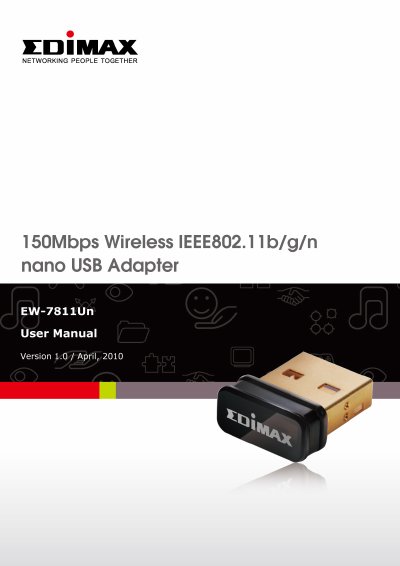
Edimax EW-7811Un USB Wireless Network Card User Manual
This manual provides instructions for the Edimax EW-7811Un, an ultra-nano size USB 2.0 wireless network card compatible with IEEE 802.11b/g/n standards. It features a data transfer rate of 150Mbps and supports encryption methods like WEP, WPA, and WPA2.
Read onlineEdimax EW-7811Un specifications
| Wireless Standard | IEEE 802.11b/g/n compatible |
|---|---|
| Data Transfer Rate | 150Mbps |
| Interface | USB 2.0 |
| Encryption Support | WEP, WPA, and WPA2 |
| Operating System | Windows XP, Vista, or Windows 7 |
Source: Edimax EW-7811Un USB Wireless Network Card User Manual
All Edimax EW-7811Un documents by type
Day-to-day operation, settings and troubleshooting. Start here if the product is already set up.
Questions answered in these manuals
What is the data transfer rate of the EW-7811Un?
The data transfer rate is 150Mbps, which is three times faster than 802.11g wireless network.
From: Edimax EW-7811Un USB Wireless Network Card User Manual
Is the EW-7811Un suitable for outdoor use?
No, this USB wireless network card is designed for indoor use only.
From: Edimax EW-7811Un USB Wireless Network Card User Manual
How do I connect to Wi-Fi using this adapter?
Select your Wi-Fi network (SSID), click 'Connect', and enter the password if required.
From: Edimax EW-7811Un V2 N150 Wi-Fi Nano USB Adapter User Manual
What operating systems does the Edimax EW-7811Un V2 support?
It supports Windows 7 / 8.x/10/11 and macOS 10.9 ~ 10.15.
From: Edimax EW-7811Un V2 N150 Wi-Fi Nano USB Adapter User Manual