
Key facts
- Brand
- DrayTek
- Model
- G1085
- Category
- switch
- Industry
- Electronics
- Documents
- 2
- Languages
- EN
- Last added
- 2026-10-31
Start here
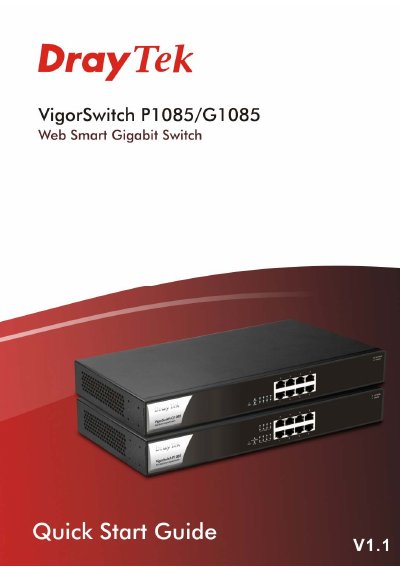
DrayTek VigorSwitch P1085/G1085 Web Smart Gigabit Switch Quick Start Guide
This guide provides step-by-step instructions for installing and configuring the DrayTek VigorSwitch P1085 and G1085. It includes safety precautions, power requirements, rack mounting, and initial software setup via web browser. The switches support PoE and VLAN features for office use.
The guide also covers warranty terms, regulatory compliance, and firmware updates. Users are instructed to register their device and consult DrayTek’s website for updates and support.
DrayTek G1085 specifications
| Switching Capacity | 16Gbps |
|---|---|
| Forwarding Rate | 11.9Mpps |
| Ports | 8 RJ-45 Ethernet Ports – 10/100/1000Mbps |
| VLAN Support | Up to 255 VLANs (out of 4096 VLAN IDs) |
| Power Input | 100-240VAC |
| Cooling | Passively cooled |
| Dimensions | 330 x 230 x 44 mm (W x D x H) |
| Weight | 1.83Kg |
| Operating Temperature | 0 °C to 45 °C |
| Maximum Power Consumption | 9 watts |
Source: DrayTek VigorSwitch G1085 8 Port Gigabit Managed Switch
All DrayTek G1085 documents by type
The shortest path to a working setup, usually only a few pages.
Questions answered in these manuals
Can the VigorSwitch G1085 be managed centrally?
Yes, it can be managed centrally via VigorACS, VigorConnect, or a DrayTek Vigor router.
From: DrayTek VigorSwitch G1085 8 Port Gigabit Managed Switch
What is the switching capacity of the VigorSwitch G1085?
The switching capacity is 16Gbps.
From: DrayTek VigorSwitch G1085 8 Port Gigabit Managed Switch
What is the default IP address for the switch?
The default IP address is 192.168.1.224.
From: DrayTek VigorSwitch P1085/G1085 Web Smart Gigabit Switch Quick Start Guide
How do I access the switch’s web interface?
Open a web browser and enter the switch’s IP address after configuring your PC to be on the same subnet.
From: DrayTek VigorSwitch P1085/G1085 Web Smart Gigabit Switch Quick Start Guide