
Key facts
- Brand
- Dingtek
- Model
- DC500
- Category
- Other Electronics
- Industry
- Electronics
- Documents
- 2
- Languages
- ZH · EN
- Last added
- 2026-10-12
Start here
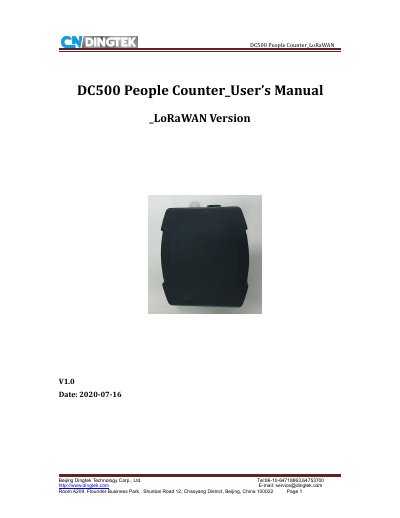
Dingtek DC500 People Counter User Manual
This manual provides instructions for the Dingtek DC500 People Counter, a LoRaWAN-based device designed to count the number of passing people and report alarm status when a set threshold is reached. It details default parameters for various LoRaWAN bands, including heartbeat intervals and battery alarm thresholds.
Read onlineDingtek DC500 specifications
| Dimensions | 80*78*30mm |
|---|---|
| Shell Material | ABS |
| Detector Principle | PIR Human Infrared Induction |
| Delay Time | 2s |
| Distance | Within 5 meters |
| Wireless Method | LoRaWAN |
| Operating Mode | ClassA |
| Frequency Bands | CN470, EU433, EU868, IN865, AU915, US915, AS923, KR920 |
| Activation Method | OTAA or ABP |
| Communication Distance | 3km (Line of Sight) |
| Power Option I | Built-in 8000mAh Battery |
| Power Option II | 6-13.8VDC External Power |
| Operating Temperature | -20~+60°C |
| Storage Temperature | -40~+85°C |
All Dingtek DC500 documents by type
Ratings, dimensions and ordering codes, for selection and design work.
Day-to-day operation, settings and troubleshooting. Start here if the product is already set up.
Questions answered in these manuals
What frequency bands does the DC500 support?
The DC500 supports CN470, EU433, EU868, IN865, AU915, US915, AS923, and KR920.
How long does the internal battery last?
The internal battery can work for over one year with 50 uploads per day.
Why can't I see the device data?
Possible causes include no battery connected, frequent unplugging/plugging of the battery, band error, improper registration on the Network server, gateway disconnection, distance from the gateway, or a dead battery.
How do I reboot the sensor?
Move the magnet along the arrow on the device and then remove it to restart the device.