
Key facts
- Brand
- DFI
- Model
- nF4 SLI-DR
- Category
- Motherboard
- Documents
- 2
- Languages
- EN
- Last added
- 2023-10-19
Start here
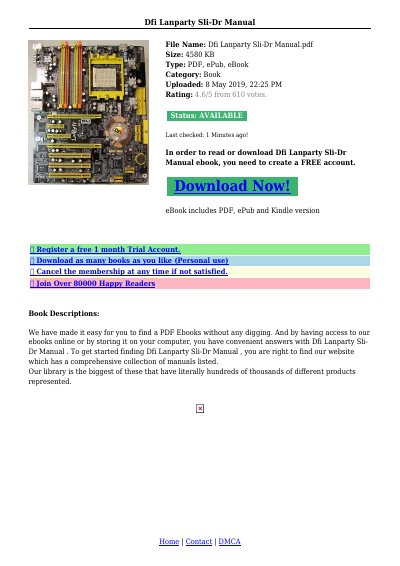
DFI LANPARTY nF4 SLI-DR User Manual
This document provides user instructions for the DFI LANPARTY nF4 SLI-DR motherboard. It covers BIOS settings, audio configuration with the Karajan module, memory and power connections, and rear panel ports including USB, Firewire, and Ethernet. The manual also includes notes on SLI mode setup using jumper blocks and compatibility with DDR400 memory.
The board features a well-arranged layout with CPU and DIMM slots positioned for easy access. It supports up to 4GB of DDR400 memory in dual-channel mode and includes SATA connectors, IDE, and floppy ports. The manual advises on proper power supply requirements and notes potential issues with certain components like RAM slots being blocked by coolers.
DFI nF4 SLI-DR specifications
| Memory Support | Up to 4GB DDR400 in DualChannel |
|---|---|
| SLI Mode | Requires 6 16pin jumper blocks |
| Rear Panel Ports | 6 USB, 1 Firewire, 2 RJ45 Ethernet |
All DFI nF4 SLI-DR documents by type
Day-to-day operation, settings and troubleshooting. Start here if the product is already set up.
Questions answered in these manuals
What audio codec does the DFI LANPARTY nF4 SLI-DR use?
It uses the Realtek ALC850 codec with the Karajan module for audio.
How do I enable SLI mode on this motherboard?
You must move 6 16pin jumper blocks to switch to SLI mode.
What is the bandwidth when using SLI with this motherboard?
When graphics cards are connected via the SLI bridge, the bandwidth runs at x16.
What audio features does this motherboard include?
It includes 8-channel audio with a Karajan daughter card.