
Key facts
- Brand
- Crosley
- Model
- CR1
- Category
- Other Electronics
- Documents
- 7
- Languages
- EN
- Last added
- 2012-08-09
Start here
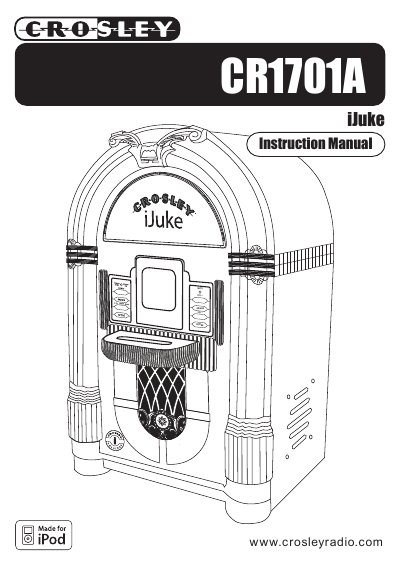
Crosley CR1701A iJuke User Manual
The Crosley CR1701A iJuke is a portable music player featuring a Universal Dock compatible with newer iPod models and an auxiliary input for other devices. The unit includes internal speakers, a remote control, and a DC jack for power.
Read onlineCrosley CR1 specifications
| Frequency Range | FM 87.5 - 108.5 mHz |
|---|---|
| Power Source | AC 120V ~ 60Hz |
| Power Consumption | 30W |
| Speaker | 4" Dynamic Type x 2 |
All Crosley CR1 documents by type
Day-to-day operation, settings and troubleshooting. Start here if the product is already set up.
- Crosley CR16 Bubbler iJuke User Manual 6 p
- Crosley CR1701A iJuke User Manual 12 p
- Crosley CR11CD Jukebox with CD Instruction Manual 2 p
- Crosley CR1 Diner Jukebox AM/FM Radio With Cassette Instruction Manual 2 p
- Crosley CR11 Jukebox Radio Cassette Player Instruction Manual 2 p
- Crosley CR12-2 iJuke Deluxe Instruction Manual 7 p
Questions answered in these manuals
How long is the warranty period?
Crosley Radio warrants the product against defects in material and workmanship for a period of 90 days beginning from the date of sale.
How long does it take for the bubble tubes to start bubbling after the lights are turned on?
It takes approximately 15 to 20 minutes for the bubble tubes to warm up and begin bubbling after the stage lights are on.
How do I connect an iPod without a dock connector?
Use the supplied Auxiliary Cable to connect the iPod to the Auxiliary Input (Aux In) jack on the back of the unit.
How do I remove the dock adapter?
Push your fingernail into the slot in the back of the adapter and lift it up.
What is the power source for the CR11CD?
It operates from AC 120 V ~60 Hz.
What is the FM frequency range?
The FM range is 87.5 to 108.5 mHz.