
Key facts
- Brand
- Celestron
- Model
- #44302-a
- Category
- Other Electronics
- Industry
- Electronics
- Documents
- 3
- Languages
- ZH · EN
- Last added
- 2026-10-15
Start here
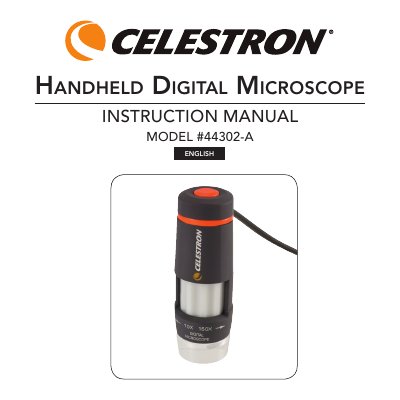
Celestron 44302-A Hand Held Digital Microscope Instruction Manual
This manual provides instructions for the Celestron 44302-A Hand Held Digital Microscope, a precision optical instrument designed for hobbyists, educators, and professionals. It supports magnification powers from 10x to 40x and 150x when used with a 19-inch monitor. The device features a built-in 2MP CMOS digital camera, 6 white LED illuminators, and a USB 2.0 connection for power and data transfer to computers running Windows 7, XP, Vista, or Mac OS X 10.4.9 and later.
Read onlineCelestron #44302-a specifications
| Magnification | 10x to 40x and 150x (with 19" monitor) |
|---|---|
| Camera Sensor | 2.0 megapixel CMOS |
| Resolution | 1600x1200 pixels (up to 5MP interpolated) |
| Lighting | 6 white LED bulbs |
| Weight | 4 ounces (113 grams) |
| Dimensions | 4.25" x 1.25" (108 mm x 32 mm) |
Source: Celestron #44302-A Handheld Digital Microscope User Manual
All Celestron #44302-a documents by type
Day-to-day operation, settings and troubleshooting. Start here if the product is already set up.
Questions answered in these manuals
What is the minimum age for using this microscope?
The product is designed and intended for use by persons aged 13 and older.
From: Celestron #44302-A Handheld Digital Microscope User Manual
What is the warranty period for this product?
Celestron products come with a one-year free warranty service from the date of purchase.
From: Celestron #44302-A Handheld Digital Microscope User Manual
What operating systems are supported?
The microscope is compatible with Microsoft Windows 7, XP, and Vista, as well as Apple Mac OS X version 10.4.9 and later.
From: Celestron 44302-A Hand Held Digital Microscope Instruction Manual
How do I take a snapshot?
Use the snapshot button on the microscope or click 'Capture an Image' in the software.
From: Celestron 44302-A Hand Held Digital Microscope Instruction Manual
What operating systems are supported for viewing images?
The microscope works with Microsoft Windows 7, XP and Vista. For most MACs, it requires image/photo capture software like iChat with Photobooth.
From: Celestron Model #44302-a/#44302-B Hand Held Digital Microscope Instruction Manual
How do I turn on the illumination?
The LEDs automatically turn on when the USB cable is inserted into the computer's USB port.
From: Celestron Model #44302-a/#44302-B Hand Held Digital Microscope Instruction Manual