
Key facts
- Brand
- Brainboxes
- Model
- ES-246
- Category
- Other Electronics
- Industry
- Electronics
- Documents
- 2
- Languages
- EN
- Last added
- 2026-11-08
Start here
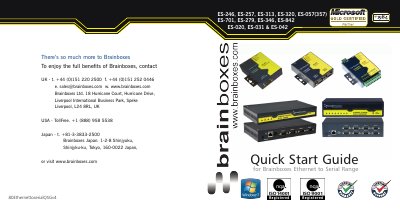
Brainboxes ES-246 ES-257 ES-313 ES-320 ES-057(357) ES-701 ES-279 ES-346 ES-842 ES-020 ES-031 ES-042 Ethernet to Serial Q
This guide helps users set up Brainboxes Ethernet to Serial devices for network connectivity. It covers hardware components, network IP settings, connecting devices, and installing software on Windows. It also includes pinouts, LED status, and firewall port configurations for proper operation.
The guide is designed for users who want to quickly configure and use the devices, with step-by-step instructions for connecting, powering, and configuring the devices via web interface or Boost.LAN Manager software.
Brainboxes ES-246 specifications
| Serial ports | 1 port RS232 |
|---|---|
| Maximum baud rate | 1,000,000 baud |
| Ethernet port | 10/100Base TX |
| Enclosure rating | IP-30 |
| Power input | 5-30V DC |
| Power consumption | 0.76W typical |
| Operating temperature | 0 to 55°C |
| Storage temperature | -20 to 85°C |
| Relative humidity | 5 to 95% non-condensing |
| Ethernet data rate | 10/100 Mbps |
| Packaged weight | 0.362 kg |
| Packaged dimensions | 200 x 135 x 80 mm |
Source: Brainboxes ES-246 Ethernet to Serial Device Server Product Leaflet
All Brainboxes ES-246 documents by type
The shortest path to a working setup, usually only a few pages.
Questions answered in these manuals
What is the maximum baud rate supported by the ES-246?
It supports up to 1,000,000 baud (1 MegaBaud).
From: Brainboxes ES-246 Ethernet to Serial Device Server Product Leaflet
Is the ES-246 compliant with RFC2217?
Yes, the device is fully RFC2217 compliant.
From: Brainboxes ES-246 Ethernet to Serial Device Server Product Leaflet
What is the default IP address if no DHCP server is detected?
The device defaults to 192.168.127.254 within 60 seconds.
What ports need to be opened in a firewall for the ES device?
Port 80 (TCP) for web server, 9001-9008 (TCP) for serial ports, 67 (UDP) for firmware upgrade, 68 (UDP) for BOOTP server, 69 (UDP) for TFTP port.