
Key facts
- Brand
- Brainboxes
- Model
- ED-538
- Documents
- 2
- Languages
- EN
- Last added
- 2026-10-13
Start here
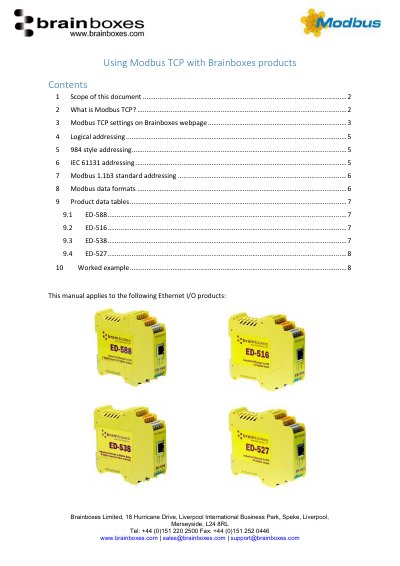
Brainboxes ED-588, ED-516, ED-538, ED-527 Using Modbus TCP
This document explains how to configure and use Modbus TCP with Brainboxes Ethernet I/O products. It covers protocol basics, addressing styles (logical, 984, IEC 61131, and Modbus 1.1b3), data formats, and device-specific settings for ED-588, ED-516, ED-538, and ED-527. Users can access the Modbus settings via the device’s web interface, adjusting TCP port, idle timeout, and max connections.
The guide also details how to interpret Modbus data tables and address types, including coils, discrete inputs, input registers, and holding registers, with examples for each addressing scheme.
Brainboxes ED-538 specifications
| Digital Inputs | 8 non-isolated input channels |
|---|---|
| Relay Outputs | 4 Form A (SPST) Relays |
| Contact Rating | 5 A @ 30 VDC, 5 A @ 250VAC |
| Operating Temperature | -30°C to +80°C |
| Power Input | +5V to +30V DC |
| Power Consumption | 2.5 Watt Max |
| Isolation | 1,500Volts magnetic isolation |
Source: Brainboxes ED-538 Ethernet 8 DI + 4 Relays Product Leaflet
All Brainboxes ED-538 documents by type
Day-to-day operation, settings and troubleshooting. Start here if the product is already set up.
Questions answered in these manuals
What is the contact rating for the ED-538 relays?
The relays are rated for 5 A at 30 VDC and 5 A at 250VAC.
From: Brainboxes ED-538 Ethernet 8 DI + 4 Relays Product Leaflet
Is the ED-538 compatible with LabView and MATLAB?
Yes, the device is compatible with popular packages such as LabView, MATLAB, and Agilent VEE.
From: Brainboxes ED-538 Ethernet 8 DI + 4 Relays Product Leaflet
What is the default TCP port for Modbus TCP on Brainboxes ED products?
The default TCP port is 502.
From: Brainboxes ED-588, ED-516, ED-538, ED-527 Using Modbus TCP