
Key facts
- Brand
- Arris
- Model
- CM820
- Category
- Communications equipment
- Industry
- Electronics
- Documents
- 2
- Languages
- EN · ES
- Last added
- 2026-11-16
Start here
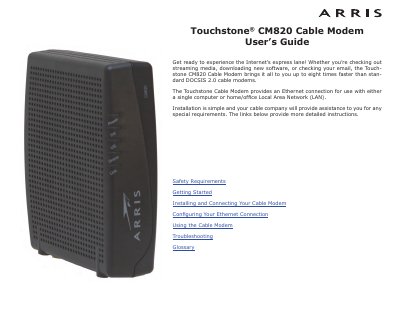
ARRIS Touchstone CM820 Cable Modem User's Guide
This user guide covers safety requirements, installation, Ethernet configuration, operation, troubleshooting, and a glossary for the ARRIS Touchstone CM820 cable modem. It describes DOCSIS 3.0 or Euro-DOCSIS 3.0 compliance, Ethernet connectivity, included accessories, and energy consumption for CM820S models.
The guide also includes FCC and European compliance information, mounting and connection instructions, TCP/IP configuration steps for Windows and macOS, indicator light descriptions, reset button use, and troubleshooting guidance.
ARRIS CM820 specifications
| Compliance | DOCSIS 3.0 or Euro-DOCSIS 3.0 |
|---|---|
| Backward compatibility | DOCSIS 2.0 or 1.1 |
| Connectivity | Ethernet |
| Speed | Up to eight times faster than DOCSIS 2.0 cable modems |
| Power consumption (CM820S, OFF) | 0.0 W |
| Power consumption (CM820S, ON idle) | 5.0 W |
| Power consumption (CM820S, ON maximum) | 5.5 W |
All ARRIS CM820 documents by type
Day-to-day operation, settings and troubleshooting. Start here if the product is already set up.
Questions answered in these manuals
What is included in the box?
The package includes the cable modem, power cord, quick installation guide, wall-mounting template and instructions, Ethernet cable, and end user license agreement.
What coaxial cable is recommended?
For best performance, use high-quality RG-6 type coax cable and minimize or eliminate splitters between the cable jack and the cable modem.
What is the maximum speed improvement of this modem compared to standard DOCSIS 2.0 modems?
The Touchstone CM820 cable modem provides a speed up to eight times superior to that of standard DOCSIS 2.0 cable modems.
What is the power consumption when the device is turned on and inactive?
The device consumes 5.0 W of energy when it is powered on but in an inactive state.