
Key facts
- Brand
- Alicat
- Model
- 21V1
- Category
- Mass Flowmeter
- Industry
- Industrial
- Documents
- 2
- Languages
- ZH
- Last added
- 2026-11-09
Start here
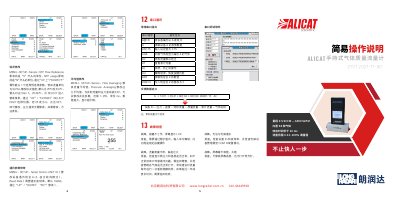
Alicat 21V1 Handheld Gas Mass Flow Meter Quick Start Guide
The document is a two-page Chinese quick operation guide for the Alicat 21V1 handheld gas mass flow meter. It explains menu settings for flow and pressure averaging, serial communication, standard conditions, gas selection and engineering units.
It also gives startup checks, process connection and gas filtration guidance, key functions, power requirements, and troubleshooting for key lock, inaccurate flow, computer communication and display brightness. This manual is written in Chinese.
Alicat 21V1 specifications
| Flow range | 0.5 SCCM — 6000 SLPM |
|---|---|
| Measurement range | 0.01~100% of full scale |
| Response time | better than 10 ms |
| Built-in gases | 98 gases |
| Power supply | 5 VDC (Micro-USB-B) |
| Charging time | 4 hours when powered off |
| Battery life | 18 hours monochrome, 5 hours color screen |
Source: Alicat 21V1 Handheld Gas Mass Flow Meter Quick Start Guide
All Alicat 21V1 documents by type
The shortest path to a working setup, usually only a few pages.
Day-to-day operation, settings and troubleshooting. Start here if the product is already set up.
Questions answered in these manuals
How do I change the gas type on the Alicat 21V1?
Use MENU-SETUP-Active Gas-Standard, move the arrow to the desired gas and press SET.
From: Alicat 21V1 Handheld Gas Mass Flow Meter Quick Start Guide
What should the display show when there is no flow and the ports are blocked?
LPM and SLPM should read 0; if they do not, perform zeroing.
From: Alicat 21V1 Handheld Gas Mass Flow Meter Quick Start Guide
How do I modify the flow averaging parameter?
Go to MENU- SETUP-Sensor and select Flow Averaging to adjust the value between 1-255 ms for smoother display during fluctuations.
From: ALICAT 21V1 Gas Mass Flow Meter Operation and Troubleshooting Guide
What should I do if the buttons do not work?
The device may be locked; you need to unlock it via digital communication by inputting the unlock command.
From: ALICAT 21V1 Gas Mass Flow Meter Operation and Troubleshooting Guide