
The ZTE MF636 USB Modem Quick User Guide explains setup and use of the ZTE MF636 multi-mode 3G USB modem for data and SMS services.
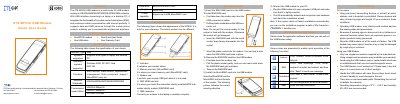
The ZTE MF636 is a multi-mode 3G USB modem that works on HSUPA, HSDPA, UMTS, EDGE, GPRS, and GSM networks. It connects to a laptop or desktop PC through a USB interface and combines modem and mobile phone SMS functionality for data and SMS communication.
This quick user guide describes the packing contents, device appearance, SIM/USIM and MicroSDHC card installation, PC connection, software use for Internet, SMS and phonebook, safety warnings, and operating specifications.
| Network standards | HSUPA/HSDPA/UMTS/EDGE/GPRS/GSM |
|---|---|
| Dimension | 69 mm×26.5 mm×12 mm |
| Weight | About 40g |
| Memory card support | Up to 4GB MicroSDHC card |
| Operating temperature | 0°C ~ +55°C |
| Humidity | 5%~95% |
| Max HSUPA upload speed | 2.0Mbps |
| Max HSDPA download speed | 7.2Mbps |
It works in HSUPA, HSDPA, UMTS, EDGE, GPRS, and GSM networks.
Remove the modem cap, pull out the plastic socket, insert the card with the metal contact area facing downward, and push the socket in until it clicks.
It weighs about 40g.
The recommended range is 0°C to +55°C with 5% to 95% humidity.