
A step‑by‑step guide for setting up a wired, wireless, or hybrid home network.
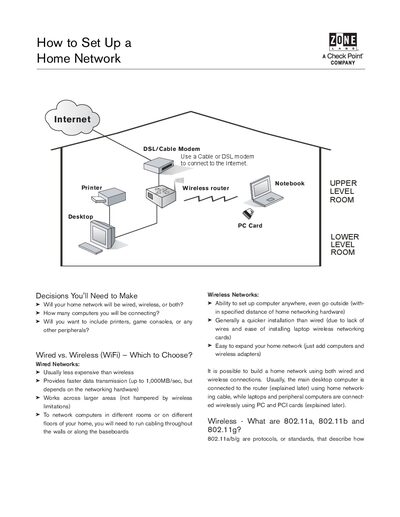
This guide walks you through the decisions needed to design a home network, compares wired and wireless options, and explains the 802.11a/b/g standards. It also covers security considerations and how routers and firewalls protect your devices.
The document lists the required equipment—modem, router/gateway, network adapter cards, Category 5 cable—and provides a clear installation sequence from connecting the modem to wiring computers to the router, both for wired and wireless setups.
| Cable type | Category 5 |
|---|
You can use a wired Ethernet network, a wireless Wi‑Fi network, or a combination of both.
You need a modem, a router or gateway, network adapter cards for PCs, Category 5 Ethernet cable, and optionally installation CDs for the hardware.
First connect the modem to the ISP line, then attach the router, install any PC or PCI network cards, and finally connect each computer to the router via cable or wireless adapters.
Use a router with a built‑in hardware firewall and install software firewalls on each computer to protect against external attacks.