
Step‑by‑step installation guide for Yingshi doorbell models CS‑CMT‑CHIME and CS‑DB2C, covering mounting, wiring, network setup and maintenance.
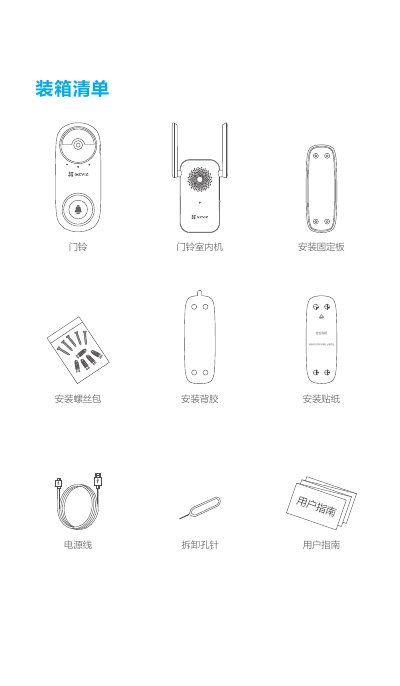
This guide provides all the information needed to install and configure a Yingshi smart doorbell. It includes a box contents list, product overview, indicator light meanings, network configuration, mobile app setup, and recommended installation methods.
Safety and maintenance tips are also covered, such as recommended mounting height, distance to the indoor unit, power adapter specifications, and troubleshooting for connectivity issues. This manual is written in Chinese.
| Power Adapter | 5 V 2 A |
|---|---|
| Charging Indicator | Red slow flash indicates charging |
| Recommended Installation Height | 1.2 m – 1.5 m |
The video encryption password defaults to the device’s verification code, which is the six‑character uppercase string printed on the indoor unit label.
Check the network; a red slow‑flashing indicator means a network issue. Also ensure the doorbell is within about 3 m of the indoor unit so the red fast‑flashing indicator does not appear.
Metal blocks the signal, so it is recommended to mount the doorbell on the side wall of a metal security door rather than directly on the metal surface.