
WolfVision WolfProt TCP-IP Document Camera Control Module User Manual

This manual provides TCP/IP control instructions for WolfVision document cameras, including power, zoom, focus, and recording commands for Crestron integration.
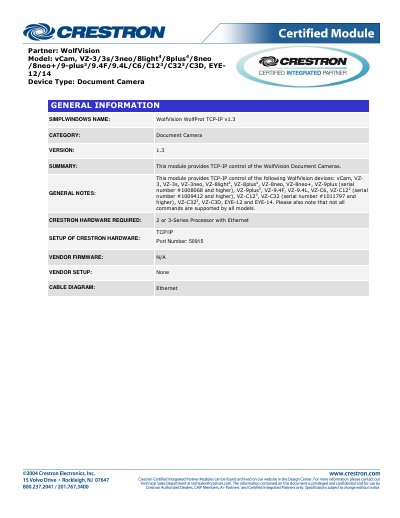

WolfVision WolfProt TCP-IP Document Camera Control Module User Manual - cover page
Brand
WolfVision
Category
Other Electronics
Document type
User Manual
Language
English
Pages
5
File format
PDF
File size
147 KB
Published
26 October, 2026
Updated
26 October, 2026
MD5 checksum
FCC733523277355A96E2721636AE02D4

About this manual

The WolfVision WolfProt TCP-IP module enables remote control of various WolfVision document camera models via a TCP/IP connection. It supports a wide range of devices, including the vCam, VZ series, and EYE series, allowing users to manage camera functions through Crestron hardware.

What's inside

  • General Information
  • Control Commands
  • Feedback Signals
  • Setup of Crestron Hardware
  • Testing Information
  • Revision History

Specifications

Required Crestron Hardware2 or 3-Series Processor with Ethernet
TCP/IP Port Number50915
Module Version1.3

Frequently asked questions

How do I turn the camera power on and off?

Send a Pulse command to the Power_ input to turn the document camera on and off.

How do I adjust the camera zoom?

Press and hold the Zoom_ input to adjust the zoom; releasing and pressing again zooms in farther using digital zoom.

Download PDF (147 KB)

More WolfVision Manuals


View all WolfVision manuals →