
VIKING PA-250 250 Watt Telecom Paging Amplifier quick start guide covering out-of-box verification, connections, features, and programming.
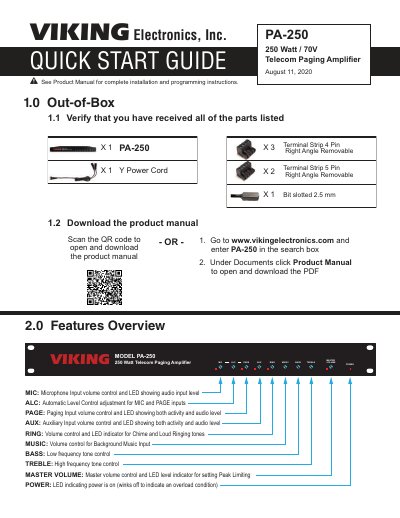
This quick start guide from VIKING Electronics, Inc. covers the PA-250 250 Watt Telecom Paging Amplifier. It explains verifying the out-of-box parts, downloading the product manual, and reviewing the features overview.
The guide also covers connections for the amplifier, including microphone, auxiliary, page, music, and speaker inputs. It refers users to the Product Manual for complete installation and programming instructions and lists Viking Product Support contact information.
| Telecom Paging Amplifier Power | 250 Watt |
|---|---|
| Speaker Line Voltage | 70V or 25V |
| AC Power Input | 100V to 240V AC |
See the Product Manual for complete installation and programming instructions.
Connect up to two hundred fifty (250) 70V or 25V speakers and/or paging horns.
Go to www.vikingelectronics.com and enter PA-250 in the search box, then click Product Manual to open and download the PDF. You can also scan the QR code to open and download the product manual.