
Triplett CTX200 user manual: how to test RJ45 Ethernet and coax cables, read PASS/FAIL and fault results, and locate cables with tone.
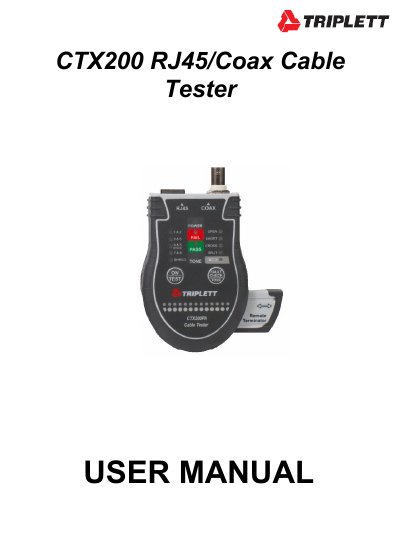
The Triplett CTX200 is an RJ45/Coax cable tester made up of a Main Tester and a Remote Terminator. According to the manual, it performs continuity, open and short circuit, and crossed-wire (reverse and split) tests on CAT3, 5, 5e, 6, 6A and 7 Ethernet cables to TIA568 specs, tests coax cables, and can locate cables with a tone. PASS/FAIL results appear in one second, each pair's status is highlighted, and the unit switches off automatically after 12 seconds to conserve battery life. A 9V battery and pouch are included.
This user manual walks through cable testing and cable locating with tone. It explains how to connect the main unit and remote for installed cables and patch cables, how to read PASS/FAIL, and how to use the FAULT CHECK button to isolate problems to an individual pair. Separate sections cover coax testing with LEDs 4 and 5, the faceplate controls, testing examples for good cables, opens, shorts, crossed pairs and split pairs based on EIA/TIA 568B, and warranty information. The manual warns not to use the tester on live circuits.
| Supported Ethernet cable categories | CAT3, 5, 5e, 6, 6A and 7, tested to TIA568 specs |
|---|---|
| Tests performed | Continuity, open and short circuits, reversals and split pairs |
| Result time | PASS/FAIL in one second |
| Auto-off | 12 seconds |
| Battery | One 9V battery (pouch included) |
| Maximum circuit rating | Less than 5V / 20mA |
| Tone activation | Hold the TONE button for 7 seconds |
| Coax status display | LEDs 4 and 5 |
Press the ON button, then press it again to begin the test. A blue PASS LED means the cable passed; if the FAIL LED lights, press FAULT CHECK to isolate the problem to an individual pair.
No. The manual warns not to use the tester on live circuits and notes a rating of less than 5V/20mA.
Hold the TONE button for 7 seconds to turn the tone on, then press the TONE button repeatedly to select the pair you want to tone.
A split means one wire from each of two different pairs gets swapped on both ends of the cable.