
User manual for the Trinamic TMC262-EVAL evaluation board, covering features, pinout, electrical specs, and setup instructions.
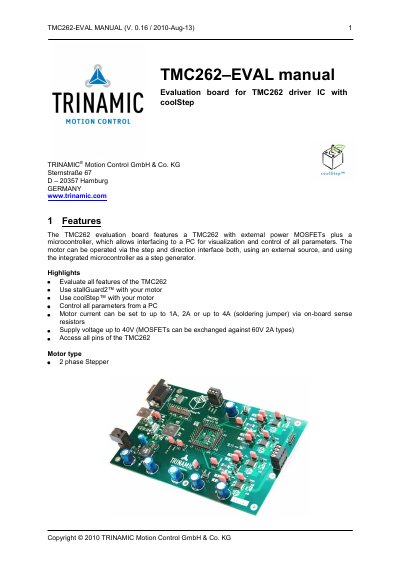
The TMC262‑EVAL board integrates the TMC262 driver IC with external MOSFETs and a microcontroller, providing PC‑based visualization and control of motor parameters. It supports step‑and‑direction operation, stallGuard2™ and coolStep™ features, and allows motor currents up to 4 A.
The manual details board connectors, jumper settings, electrical characteristics, and step‑by‑step instructions for connecting a stepper motor, configuring current, and starting the motor using the supplied software.
| Supply voltage (original MOSFETs) | 40 V |
|---|---|
| Supply voltage (optional 60 V MOSFETs) | 60 V |
| Maximum motor current | up to 4 A (via jumper) |
| Ambient temperature range | -25 °C to 85 °C |
| Default clock frequency | 16 MHz |
| Sense resistor default value | 150 mΩ (2510 type) |
| Number of sense resistor pairs | 2 pairs (R18/R40, R23/R41) |
With the original MOSFETs the board supports up to 40 V, and it can be raised to 60 V when the MOSFETs are replaced with 60 V types.
Motor current is set via the on‑board sense resistors and a jumper, allowing selections of up to 1 A, 2 A, or 4 A, and can be fine‑tuned by changing the sense resistor value.
The default clock frequency is 16 MHz.