
Installation and operation guide for the Texecom Premier Elite Micro Shock-W wireless detector, including learning, range testing, mounting, and sensitivity…
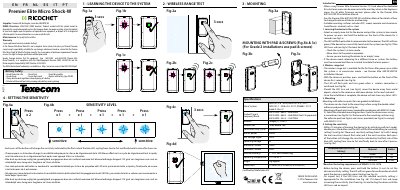
This manual provides step-by-step instructions for installing and configuring the Texecom Premier Elite Micro Shock-W wireless shock detector. It covers learning the device to the system, testing wireless range, mounting options, and adjusting sensitivity levels. The device is designed for use in security systems and complies with EN50131 standards. Sensitivity can be adjusted via button presses, with five levels from slow to fast flash rates. Mounting requires either adhesive pads or screws for Grade 2 installations. The device operates on 3V and includes safety warnings for battery disposal and handling.
| Operating Voltage | 3V |
|---|---|
| Max RF power | 10mW |
| Weight | 15g approx |
| Dimensions | 27.5mm (W) x 57mm (H) x 8.2mm (D) |
| Operating Temperature | -10˚C to 55˚C |
| Relative Humidity | 0 – 95% non-condensing |
| Product Type & Frequency Band | GHCA1000 : 868.2 – 868.4MHz GHCA2000 : 866.2 – 866.4MHz (Not CE approved) GHCA3000 : 433.3 – 433.7MHz |
Select an empty zone slot, put the system in learn mode, press and hold the button on the device for 3 seconds. The LED will flash pink during communication and turn green if successful.
Double press the button within 10 minutes of learning to set sensitivity level 2. Each subsequent press cycles sensitivity from slow to fast and back to slow after 5 presses.
Suitable mounting surfaces include uPVC, wood, concrete, and aluminum. Avoid ferrous materials like steel.
The device comes with a 2-year replacement warranty (excludes battery). Texecom cannot accept liability for damages if the device is not part of a complete alarm system.