
Quick installation guide for Sunways STT 4-25kW three-phase grid-connected PV inverters, covering mounting, DC/AC connections, grounding, and WiFi setup.
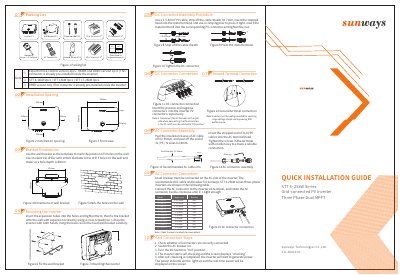
Sunways STT 4~25kW Series three-phase grid-connected PV inverters are installed using a wall bracket, DC and AC connectors, and a ground terminal. The guide covers packing contents, installation spacing, bracket dimensions, mounting steps, connector assembly, and grid connection steps.
It also includes recommended AC cable and breaker information by model, plus monitoring device installation and WiFi module configuration using a 2.4 GHz network.
| Product series | STT 4~25kW series three-phase grid-connected PV inverter with dual MPPT |
|---|---|
| Models | STT-4KTL, STT-5KTL, STT-6KTL, STT-8KTL, STT-10KTL, STT-12KTL, STT-15KTL, STT-17KTL, STT-20KTL, STT-25KTL |
| AC breaker | Required on the AC side of the inverter |
| PV cable cross-section | 2.5-4 mm² |
| PV cable strip length | 7 mm |
| AC cable sheath strip length | 50 mm |
| AC wire end strip length | 8 mm |
| Wall mounting drill bit diameter | 10 mm |
| Wall mounting hole depth | 80 mm |
| Wall mounting holes | 5 holes |
| WiFi frequency support | 2.4 GHz only |
| WiFi configuration address | http://10.10.100.254 |
| WiFi module login credentials | Username and password are both admin |
It must be switched to the OFF position.
For resisting surge voltage shock and improving EMI performance.
Only 2.4 GHz WiFi.
Both the username and password are admin.