
Soundcraft Vi Series user guide chapter covering input channel and master bay encoders, VST encoder assignments, and Vistonics Mode panel controls.
This Soundcraft Vi Series user guide chapter explains the encoders on the Vi Series console. It covers the three encoders on each input channel strip, the 16 VST encoders and four panel-mounted encoders in the master section, and how encoder functions are selected and changed.
The chapter also describes VST encoder priority, default AUX send assignments, USER layers, FAST ASSN, FOLLOW SOLO, PAN, PRE/POST, master VST encoder pages, and the Master Vistonics Switch Function panel.
| Input channel strip encoders | 3 per channel strip |
|---|---|
| Master section VST encoders | 16 |
| Master section panel-mounted encoders | 4 |
| Default VST encoders 1 & 2 assignment | AUX 1 and AUX 2 send level controls |
| Default Master VST encoder assignment | Output level controls for Master Outputs 1-16 |
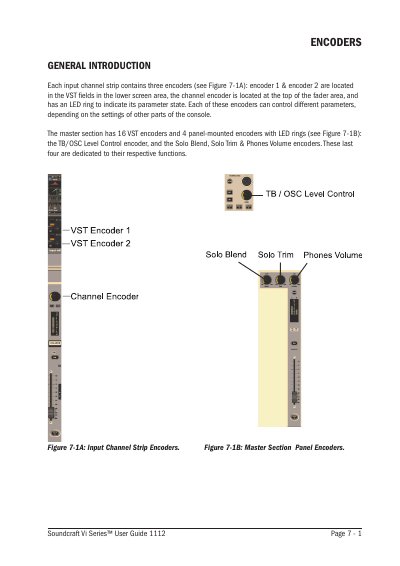
Each input channel strip contains three encoders: encoder 1 and encoder 2 in the VST fields, plus the channel encoder at the top of the fader area.
By default, VST encoders 1 and 2 are assigned as AUX 1 and AUX 2 send level controls for their input channels.
Press and hold a [FAST ASSN] key, then press one of the Output Masters' [SOLO/SEL] keys. The mapping is removed by releasing [FAST ASSN].
The three buttons assign the VST switches to [TB ASSN], [ON/OFF], or [SOLO/SEL], with [SOLO/SEL] as the default.