
This Soundcraft Realtime Rack guide covers system requirements, setup, authorization, and connection diagrams for use with a Vi Series console.
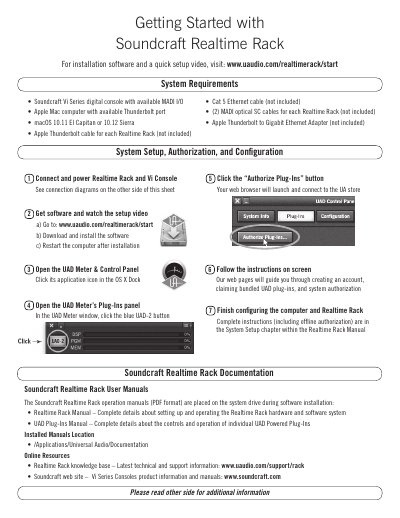
This guide is for the Soundcraft Realtime Rack used with a Soundcraft Vi Series digital console and an Apple Mac computer. It lists a console with available MADI I/O, a Mac with an available Thunderbolt port, and macOS 10.11 El Capitan or 10.12 Sierra as requirements, plus Thunderbolt, Cat 5 Ethernet, and MADI optical cables that are not included.
Setup steps cover connecting and powering the Realtime Rack and Vi Console, downloading and installing software, restarting the computer, opening the UAD Meter & Control Panel and its Plug-Ins panel, and authorizing plug-ins through a web browser. It also describes single-unit and multi-unit wiring, notes that the host connection is via Thunderbolt only and that Thunderbolt port numbering is inconsequential, and lists manual locations and Soundcraft and Universal Audio support contacts.
| Operating system | macOS 10.11 El Capitan or 10.12 Sierra |
|---|---|
| Console requirement | Soundcraft Vi Series digital console with available MADI I/O |
| Computer connection | Apple Mac computer with available Thunderbolt port |
macOS 10.11 El Capitan or 10.12 Sierra.
Connect via Thunderbolt only, and do not connect anything to the Realtime Rack FireWire ports.
At /Applications/Universal Audio/Documentation.
At www.uaudio.com/realtimerack/start.