
The Sony HT‑S200FUS Sound Bar User Guide provides setup steps, remote control configuration, and connection instructions.
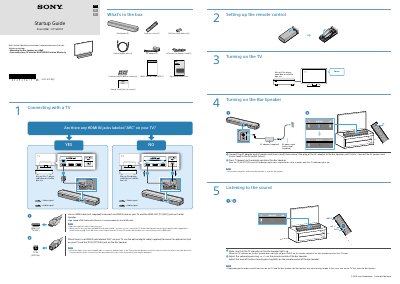
This guide explains how to set up the Sony HT‑S200FUS sound bar, including connecting it to a TV via HDMI ARC or optical cable, powering the unit, and configuring the remote control. It also lists the items included in the box and provides basic operation tips.
Key sections cover TV connection options, remote‑control setup, power‑on procedure, and adjusting volume and bass. The document also notes important safety notes such as avoiding magnetic cards near the bar and the correct order for turning on the TV and sound bar to prevent muting mode.
| HDMI ARC support | Supported |
|---|---|
| Optical digital cable | Supplied |
Connect the AC adapter and power cord, then press the power button () on the remote control.