
Quick reference guide for operating the SonoSite Edge II ultrasound system, including imaging modes, measurements, and image management.
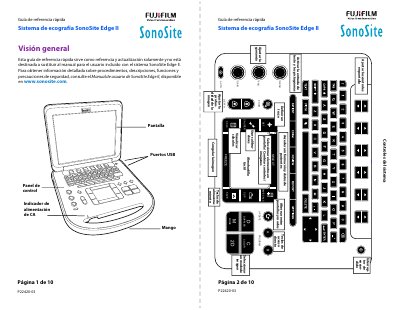
This quick reference guide is for the SonoSite Edge II ultrasound system and summarizes basic operation, controls, transducer connection, battery status, and system configuration. It is intended as a reference and update only and does not replace the SonoSite Edge II user manual.
It describes 2D, M-mode, color, and Doppler imaging; gain and depth adjustment; freezing and viewing frames; zoom, labeling, and clips; measurements and calculations; and reviewing, exporting, printing, deleting, and archiving patient exams. This manual is written in Spanish.
Pull the lock up and turn it right, insert the connector firmly into the port at the bottom of the unit, turn the lock handle left, then press the lock up to secure it.
Use the DEPTH keys.
Press FREEZE; to view frames, turn the gain knob, use the touchpad, or press the arrow keys.
Insert a USB drive, select the patient exam, select Exp. USB, choose the USB drive and whether to include patient information, then select Export.