
SonicWall NSsp 10700 firewall quick start guide covering package contents, port and LED descriptions, power-on steps and initial setup options.
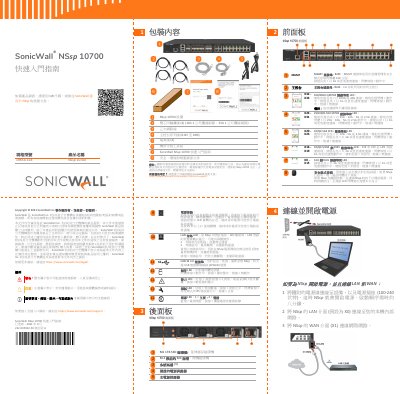
This Traditional Chinese quick start guide for the SonicWall NSsp 10700 firewall begins with the package contents, including the appliance, twinax cables, Ethernet cable, console serial cable, power cords, rack mount kit and the safety, environmental and regulatory information document. It then describes the front panel, covering the MGMT and console ports, the QSFP28, SFP28, SFP+ and copper RJ45 port groups with their LED behavior, the safe mode button, and the X18/X19 LAN bypass ports.
The back panel section explains the power button, LAN bypass LED, USB 3.0 port, storage, alarm and test LEDs, power LEDs, the M1 1TB SSD, the M0 slot for the M.2 boot drive, system fans and the main and redundant power supplies. The guide then gives the steps to connect LAN and WAN and power on the unit, followed by setup options: local management, cloud management with Capture Security Center and NSM, and the SonicExpress app, plus initial setup and registration through the MGMT interface. This manual is written in Chinese.
| Power input | 100-240 V |
|---|---|
| Boot time | Approximately eight minutes |
| Default LAN IP address | https://192.168.168.168 |
| MGMT port | Dedicated 1GE RJ45 interface for appliance management and safe mode access |
| X0 - X15 ports | 1GE copper RJ45 ports with LEDs |
| X32 - X33 ports | 100/40GE QSFP28 ports (not for patch cables) |
| Power supplies | Main power supply and redundant power supply |
| Product number | 1RK54-118 |
After the power cord is connected, the unit powers on and the boot sequence takes about eight minutes.
The default LAN interface is X0; the WAN interface is X1.
Connect to https://192.168.1.254 from a computer on the 192.168.1.x subnet and log in with username admin and password password.
Press the recessed safe mode button with a thin object; if the unit is off, press and hold while connecting power until the test LED blinks yellow three times.