
This document provides quick start instructions for the SonicWall TZ570W firewall, covering unboxing, installation options, connection setup, and…
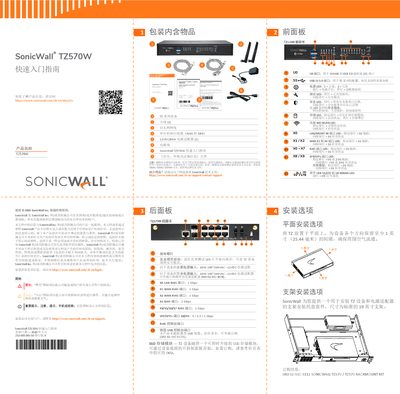
The SonicWall TZ570W is a next-generation firewall designed for distributed enterprises. This guide covers essential initial steps including verifying included items, understanding front and rear panel indicators, and selecting installation methods such as flat surface placement or rack mounting using the optional kit (SKU 02-SSC-3112). This manual is written in Chinese.
| Main Power Input | 60W 100~240VAC - 12VDC |
|---|---|
| Redundant Power Input | 60W 100~240VAC - 12VDC |
| X0 LAN Port Speed | 1 Gbps |
| X1 WAN Port Speed | 1 Gbps |
| X2 WAN Port Speed | 1 Gbps |
| X8/X9 SFP/SFP+ Speeds | 5 / 2.5 / 1 Gbps |
| Default Username | admin |
| Default Password | password |
The default username is admin and the password is password.
Press and hold the Safe Mode button until the Test LED starts flashing.