
This manual covers the operation, specifications, and software requirements for the SENSIT SMART-CAL calibration station used with SENSIT and Trak-It…
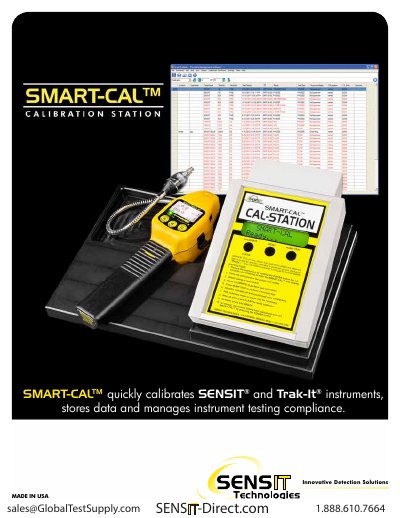
The SENSIT SMART-CAL Calibration Station is designed to quickly calibrate SENSIT and Trak-It instruments, store data, and manage instrument testing compliance. It features push-button operation, a backlit LCD display, and infrared communication for automatic date adjustment and data upload. The device supports bump tests, flow-block tests, and sensor calibration, with on-board memory capable of storing up to 2450 records.
| Size | 10.75"x 6.75"x 4.5" |
|---|---|
| Weight | 2.5 lb. |
| Operational Temp | 32 to 120 F |
| Max. Inlet Pressure | 20 PSI |
| Power Input | 100 - 240VAC |
| On-board Memory | 2450 records |
It calibrates SENSIT and Trak-It instruments equipped with a Smart Link 2-Way Infrared Communications Window.
The device is compatible with Windows 7 and Windows XP.
Available test gases include Methane (PPM, LEL), Propane (LEL), Carbon Monoxide, Hydrogen Cyanide, Hydogen Sulfide, and Oxygen.