
This manual explains how to check, download, extract, copy, and install firmware updates for the Ricoh R10 camera using an SD memory card.
This Ricoh R10 firmware upgrade manual describes how to download camera firmware from the Ricoh website and upgrade the camera firmware. It covers checking the current firmware version before upgrading and confirms that no upgrade is needed if the installed version is already the latest.
The upgrade process involves extracting the downloaded firmware, copying the files elaunch3, elaunch4, and elaunch8 to an SD memory card using a USB cable or card reader, and then starting the upgrade from the camera with the mode dial set to SCENE. This manual is written in Chinese.
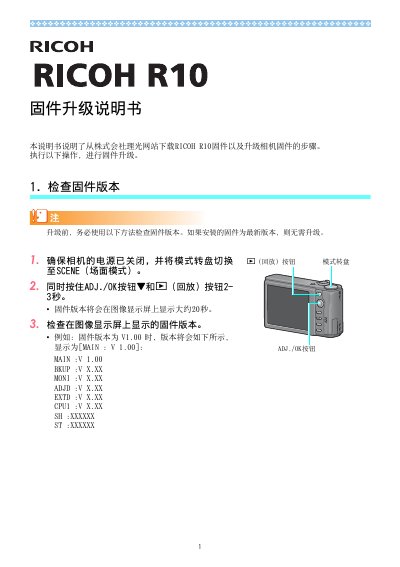
Turn off the camera, set the mode dial to SCENE, and hold the ADJ./OK and playback buttons for 2–3 seconds; the version appears on the image display for about 20 seconds.
The upgrade completes in about 40 seconds, after which the camera turns off and restarts automatically.
Copy the files elaunch3, elaunch4, and elaunch8 to the root directory of the SD memory card.
If the message [修改文件不正确] appears and the camera turns off, check the camera mode and retry the upgrade with the correct firmware.