
A3 black and white multifunction printer with cloud integration, smartphone connectivity, and high-speed printing at 27 ppm.
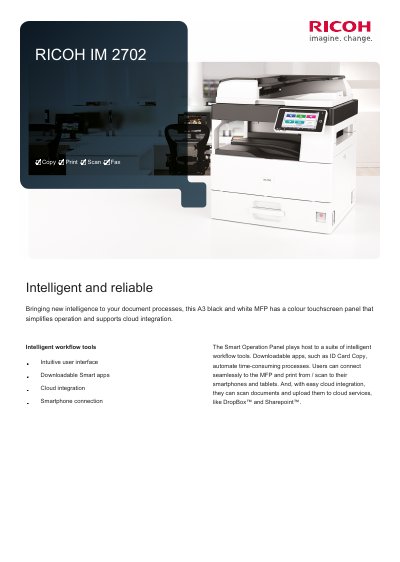
The RICOH IM 2702 is an A3 black and white multifunction printer designed for intelligent document workflows. It features a color touchscreen panel, cloud integration, and smartphone connectivity for seamless operation. With a print speed of 27 ppm and support for A6 to A3 paper sizes, it offers high productivity. The unit includes an automatic double-sided feeder (ARDF), multiple paper trays, and high-yield toner for cost-effective operation.
Maintenance is simplified with user-replaceable parts and support for multiple languages. Energy-saving features and smart design make it suitable for demanding environments. It supports various operating systems and mobile printing options including Apple AirPrint™ and Google Cloud Print. This manual is written in Chinese.
| Print Speed | 27 ppm |
|---|---|
| Paper Capacity | 1600 sheets |
| Warm-up Time | 27 seconds |
| First Output Speed | 6.5 seconds |
| Memory | 2 GB (standard) |
| Weight | 46.5 kg |
| Dimensions | 587 x 581 x 677 mm |
| Power Source | 220 - 240 V, 50/60 Hz |
| Toner Yield (High Yield) | 12,000 prints |
| Laser Classification | Class 1 |
It prints at 27 pages per minute (ppm).
It supports up to 1600 sheets of paper.
Yes, it supports cloud integration with services like Dropbox™ and SharePoint™.