
The Qstarz GPS Logger User Manual explains software installation, data transfer, and map export features.
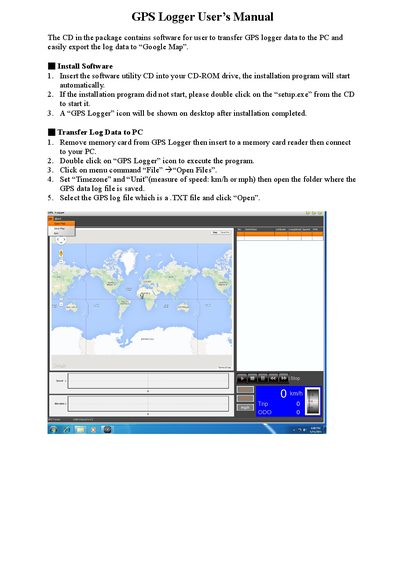
This manual guides users through installing the GPS Logger software from the supplied CD, transferring logged data from the device’s memory card to a PC, and configuring settings such as time zone and speed units. It also describes how to view the data on maps, use the speed and elevation charts, and manage trip points.
Additional sections cover exporting the log data to CSV or KML files for use with Google Maps, saving map snapshots, and viewing a 3‑D real‑scene representation. The document provides step‑by‑step instructions for each function, including quick‑view options and map navigation controls.
| Speed unit options | mph or km/h |
|---|---|
| Supported export formats | CSV, KML |
| Log file type | .TXT |
Insert the software utility CD into the CD‑ROM drive; if it does not start automatically, double‑click setup.exe.
Open the log file, then click “Export” and choose either CSV or KML; the exported file can be imported into Google Maps.
Use the speed unit exchange option to select either mph or km/h.