
Key facts
- Manuals
- 2
- Languages
- EN
- Last added
- 2026-10-03
Featured Qstarz manuals
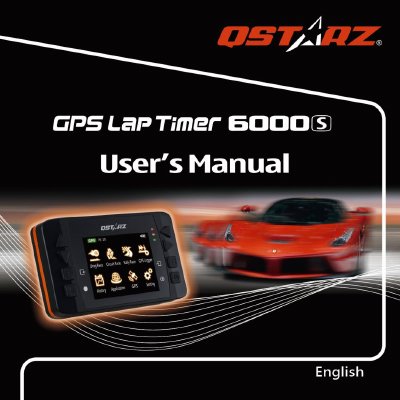
Qstarz LT-6000S GPS Lap Timer User Guide
This guide provides detailed information on the Qstarz LT-6000S GPS Lap Timer, including package contents, main functions, specifications, and how to install the device in a vehicle. It also covers safety notices, charging procedures, and software updates.
The manual walks users through first‑time setup, menu navigation, and the various racing modes such as Drag, Circuit, and Rally. Additional sections explain how to use the QRacing software, register the product, and resolve common issues.
Covers: Package Contents · Main Functions and Specifications · Appearance and Icon Definitions · Safety Notice · Charging and Battery · Mounting the Device
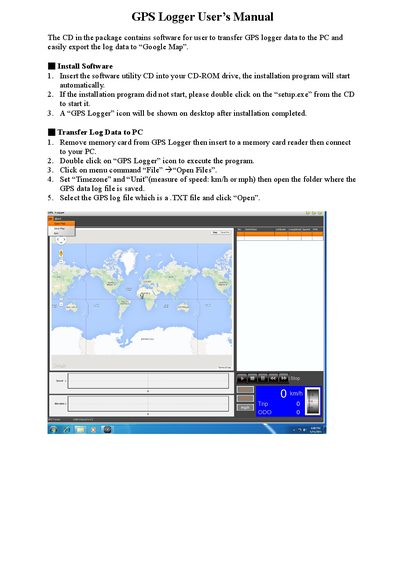
Qstarz GPS Logger User Manual
This manual guides users through installing the GPS Logger software from the supplied CD, transferring logged data from the device’s memory card to a PC, and configuring settings such as time zone and speed units. It also describes how to view the data on maps, use the speed and elevation charts, and manage trip points.
Additional sections cover exporting the log data to CSV or KML files for use with Google Maps, saving map snapshots, and viewing a 3‑D real‑scene representation. The document provides step‑by‑step instructions for each function, including quick‑view options and map navigation controls.
Covers: Install Software · Transfer Log Data to PC · Data Quick‑View Zone · Trip Start / End Points · Export to CSV or KML · Save Map Snapshot
Latest Qstarz manuals
Qstarz LT-6000S GPS Lap Timer User Guide
User Manual 33 pages · 1.7 MB · ENThe Qstarz LT-6000S GPS Lap Timer User Guide explains setup, operation, mounting, and troubleshooting for the racing timer.
Qstarz GPS Logger User Manual
User Manual 13 pages · 13.1 MB · ENThe Qstarz GPS Logger User Manual explains software installation, data transfer, and map export features.
Which document do I need?
User Manual
Day-to-day operation, settings and troubleshooting. Start here if the product is already set up.
Questions answered in Qstarz manuals
Why is my unit not receiving a satellite signal?
The unit may need more time in areas with obstructions; place it where it has a clear view of the sky and avoid metal objects.
How long does the battery last?
Battery life averages 8 – 10 hours depending on usage; keeping the backlight on continuously reduces the runtime.
How do I install the GPS Logger software?
Insert the software utility CD into the CD‑ROM drive; if it does not start automatically, double‑click setup.exe.
How can I export GPS data for use with Google Maps?
Open the log file, then click “Export” and choose either CSV or KML; the exported file can be imported into Google Maps.