
User manual for Qiyang D8400 series digital video recorders covering installation, operation, networking and maintenance.
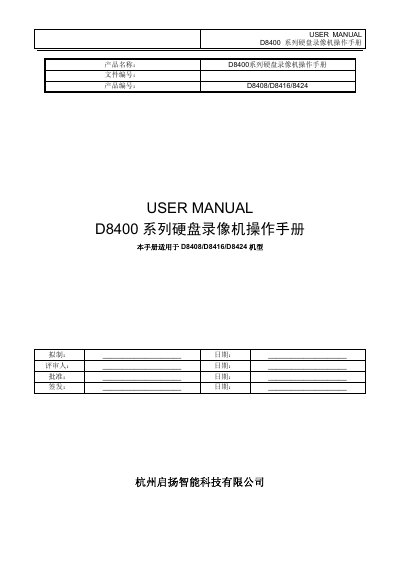
The Qiyang D8400 series DVRs are digital video recorders designed for security surveillance. This manual provides detailed instructions for hardware installation, system configuration, and daily operation of the D8408, D8416 and D8424 models.
It includes sections on video input/output setup, storage management, alarm handling, network settings, PTZ control, remote web monitoring, and software upgrades, as well as troubleshooting tips and technical specifications. This manual is written in Chinese.
| Model | D8408 / D8416 / D8424 |
|---|---|
| Codec | H.264 MainProfile |
| Processor | Huawei HiSilicon Hi3520 |
| Operating System | Embedded Linux |
| Video Input | 8‑BNC (PAL/NTSC) + 16‑BNC |
| Video Output | 1‑CVBS BNC, 1‑VIDEO SPOT BNC, 1‑HD VGA |
| Audio Input | 8‑BNC + 16‑BNC |
| Audio Output | 1‑BNC |
| Alarm Input | 16 channels |
| Alarm Output | 4 channels |
| Storage | 4 SATA bays, up to 2 TB each |
| Power Supply | AC100‑240 V, 50‑60 Hz |
| Dimensions (W×D×H) | 445 mm × 470 mm × 90 mm |
| Weight (no HDD) | ≤ 8 kg |
| Operating Temperature | 0 °C – +55 °C |
Possible reasons include incorrect serial port settings, wrong address, insufficient power to multiple converters, or excessive transmission distance.
The alarm may be incorrectly configured, manually set to output, have a faulty input device, or suffer from a version‑specific software issue that can be fixed by an upgrade.
Insufficient storage can be caused by poor camera quality, dirty lenses, back‑lighting, or high bit‑rate video streams that exceed the hard‑disk capacity.