
Wall mounting instructions for the Philips MCD988 audio system, covering the main unit, speakers, and optional DIN cable and cabling channel.
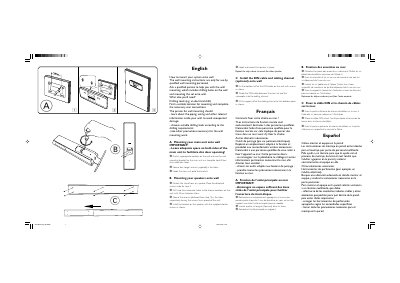
This installation guide explains how to mount the Philips MCD988 audio system onto a wall. It is intended for qualified wall mounting personnel and covers drilling holes, rear connections, and precautions such as checking piping and wiring inside the wall.
Sections describe mounting the main unit with four 6 mm holes and longer screws, mounting speakers with two 6 mm holes spaced 46 mm apart, and optionally installing the DIN cable and cabling channel between the main set and subwoofer.
| Main unit mounting holes | four 6 mm diameter holes |
|---|---|
| Screw protrusion | 5 mm proud of the wall |
Only qualified wall mounting personnel should perform the installation.
The two holes should be drilled with 46 mm between them.
Adequate space should be left on both sides to facilitate disc door opening.