
User guide for Philips DVP2880 DVD player covering setup, playback, settings, software updates, specs, and troubleshooting.
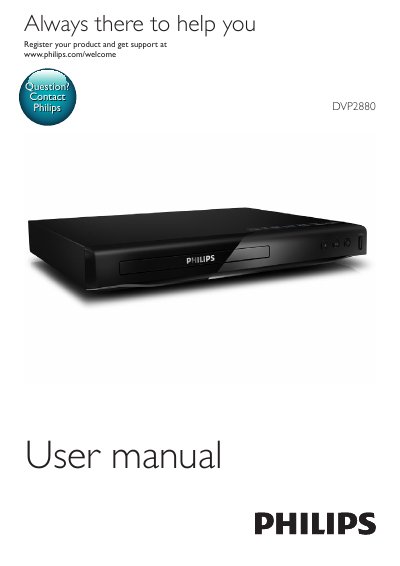
This manual provides step-by-step instructions for connecting and operating the Philips DVP2880 DVD player. It covers basic playback controls, video and audio settings, slideshow features, DivX video playback, and Philips EasyLink for HDMI control. The guide also includes specifications, troubleshooting tips, safety notices, and environmental disposal instructions.
The player supports DVD, VCD, SVCD, and Audio CD formats, along with USB storage devices. It features HDMI output, analog audio, and coaxial digital audio. The manual explains how to adjust picture and sound settings, use parental controls, and perform software updates via USB.
| Region Code | Europe |
|---|---|
| Playable Media | DVD, DVD-Video, VCD, SVCD, Audio CD, DVD+R/+RW, DVD-R/-RW, DVD+R/-R DL, CD-R/-RW |
| Video Signal System | PAL, NTSC, Multi |
| Video Output | Composite video: 1 Vp-p (75 ohm), HDMI: 480i, 480p, 576i, 576p, 720p, 1080i, 1080p, Auto |
| Audio Output | 2-channel analog: 2 Vrms (47k Ohm), Digital: 0.5 Vp-p (75 Ohm), Coaxial, HDMI |
| USB Compatibility | Hi-Speed USB (2.0) |
| File System | FAT16, FAT32, NTFS |
| Dimensions | 270 x 37.5 x 209 mm |
| Power Consumption | 11W (normal), < 0.5W (standby) |
| Laser Type | Semiconductor laser InGaAlP (DVD), AIGaAs (CD) |
You can play DivX videos from a disc or USB storage device. Before playing, register the player using the DivX VOD code found in the setup menu. Subtitles can be selected via the SUBTITLE button, and the correct character set must be chosen for proper display.
Connect HDMI CEC-compliant devices via HDMI, enable HDMI CEC on the TV and other devices, then go to [Setup] > [Video] > [HDMI Setup] > [EasyLink Setup] and select [On] for EasyLink, One Touch Play, and One Touch Standby.
The player supports video formats .avi, .divx, .xvid; audio formats .mp3, .wma; and picture formats .jpg, .jpeg.
The player consumes 11W during normal operation and less than 0.5W in standby mode.