
Philips CED1700 car audio quick start guide with ISO wiring, dashboard mounting, radio, disc, USB, and Bluetooth operation.
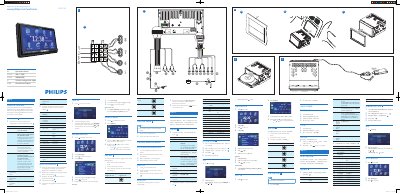
The Philips CED1700 quick start guide explains a typical car audio installation. It shows how to connect the supplied ISO wires, including power, ground, antenna, speaker, and camera leads, and how to mount the unit in the dashboard.
It then covers basic operation: turning the unit on, setting the date and time, listening to radio, playing discs and USB devices, pairing Bluetooth devices, and making or receiving calls.
| Yellow wire | +12V car battery live at all times |
|---|---|
| Red wire | +12V power terminal live in ACC position |
| Black wire | Metal surface of the car |
| Front left speaker wires | White and white/black |
| Rear right speaker wires | Purple and purple/black |
| Supported disc types | DVD video, DVD-R, DVD-RW, VCD, Audio CD, CD-R, CD-RW |
| Bluetooth pairing name | CED1700 |
| Default Bluetooth password | 0000 |
The default Bluetooth password is 0000.
Select CED1700 in the pairing list.
It can play DVD video, DVD-R, DVD-RW, VCD, Audio CD, CD-R, and CD-RW discs.
Press and hold the button for 3 seconds.